
Before opting for a headless cms for your website, it’s critically important to consider multiple options from different angles, and think how each option will help your business succeed. If neither Payload nor Directus work for you, Strapi is still a solid fallback option.
What is the best open source CMS?
The two standout open-source headless CMS options are Directus CMS and Payload CMS. Both deliver top-tier experience, flexibility, ownership, and AI features.
If you need deep customization through code and don’t mind a steeper learning curve, Payload CMS excels. Strapi is also a solid choice for simpler projects, though you’ll pay for advanced features.
All three are production-ready, open-source, and far more cost-effective than SaaS alternatives like Storyblok or Sanity.
Payload, Directus, and Strapi are the leading open-source headless CMSs in 2026. Each offers enterprise-level features comparable to those of SaaS platforms like Storyblok and Sanity.
Top 5 criteria for the best open source CMS
Based on FocusReactive experience and client’s feedback, it’s critical for CMS to be good at these 5 dimensions:
- Content features: Live preview, Roles, Publication flow
- Customizable and flexible
- Self-hosted, data ownership
- Plugins and integrations
- AI
These tools give the content team a way to work fast and efficiently, while providing the technical team with a future-proof tech stack. Helping you have a high ROI and predictable costs.
Open source headless CMS features
Live preview
Live preview is one of the most important features in a modern open source CMS. It’s important to see content changes on the page, and not imagine it.
All three CMSs have a solid live preview. Each can show both draft and published versions on desktop and mobile.
Payload CMS Visual Editor
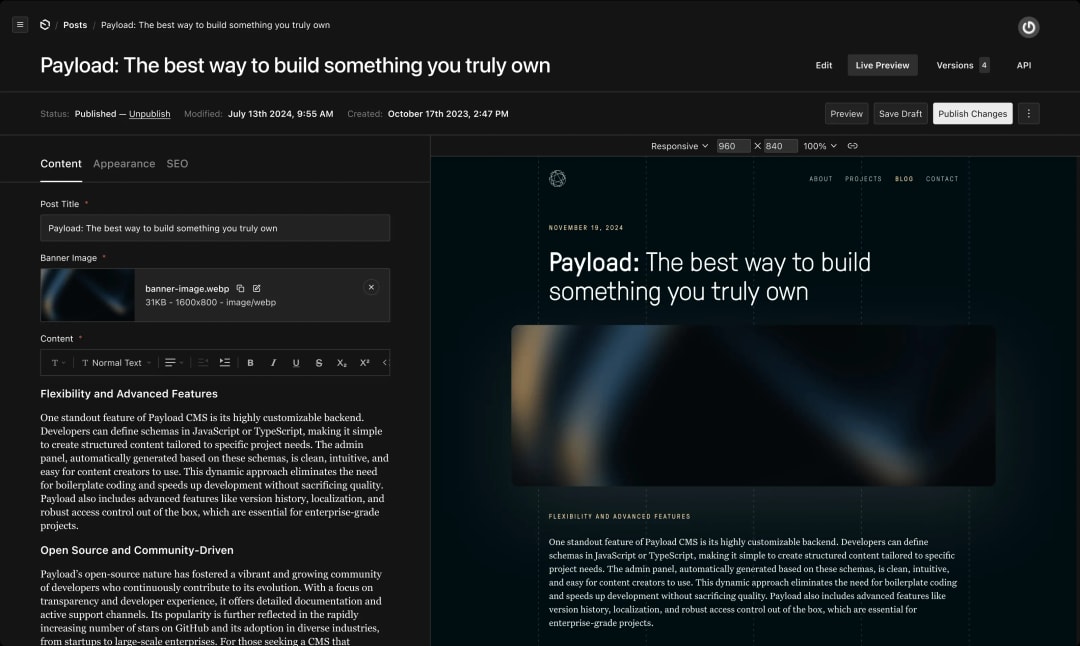 Payload CMS Visual Editor
Directus CMS Visual Editor
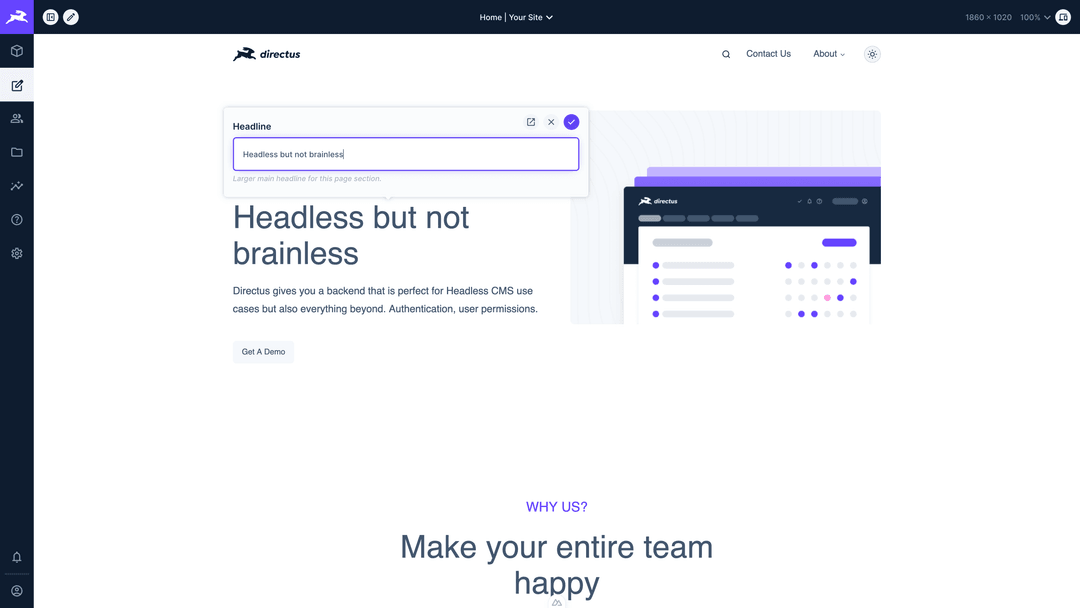 Directus CMS Visual Editor
Strapi CMS Visual Editor
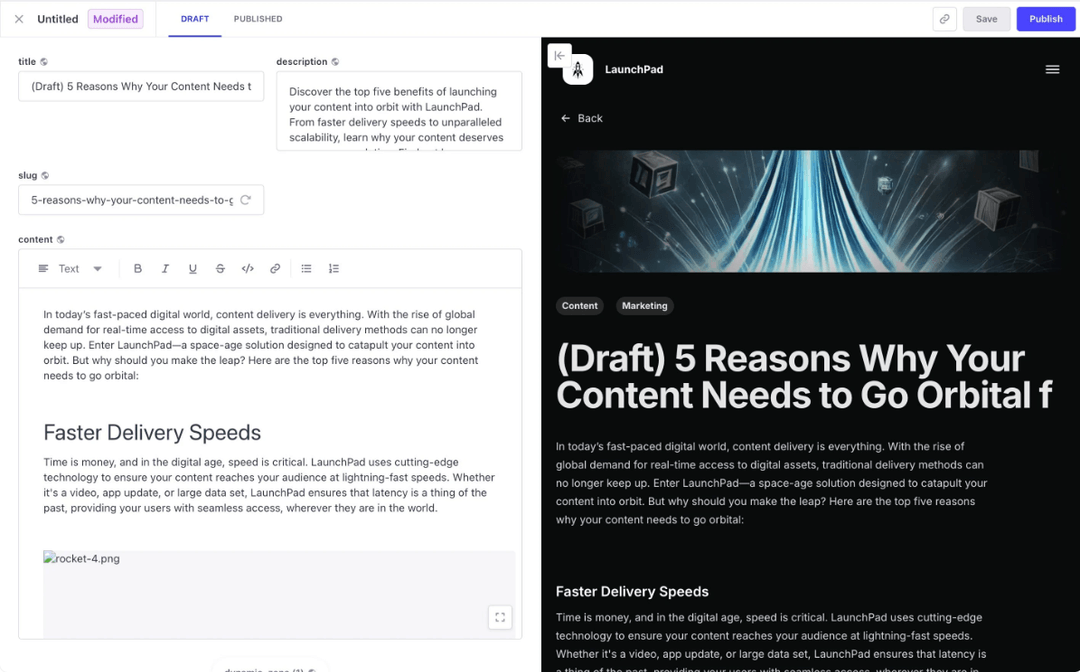 Strapi CMS Visual Editor
CMS Roles
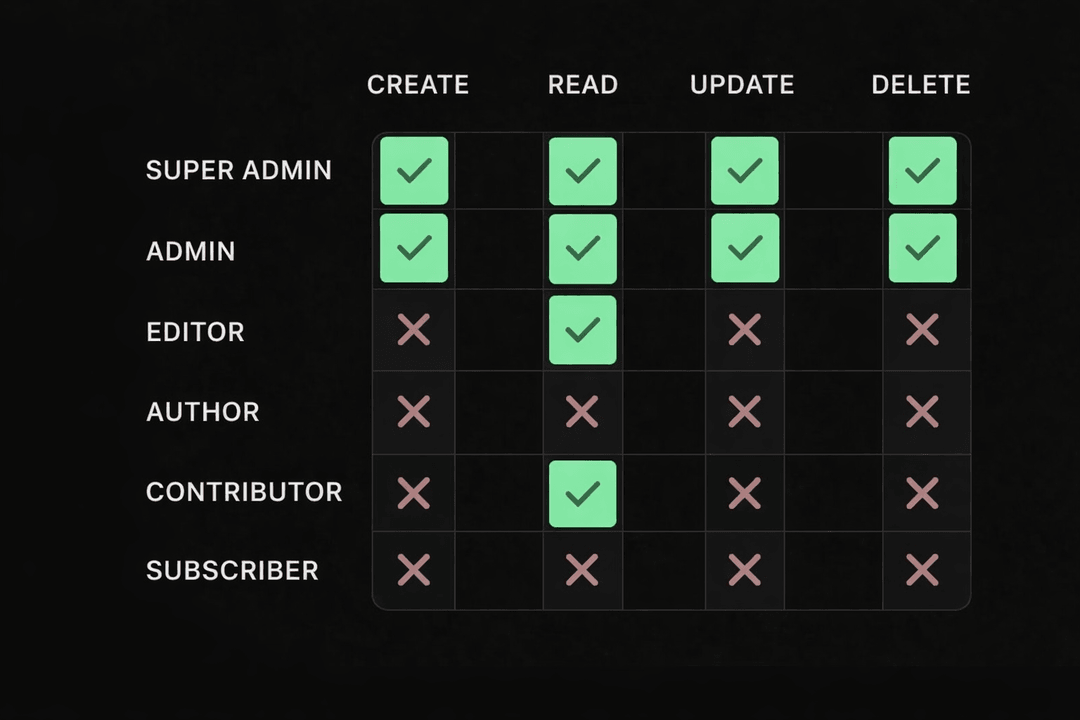 CMS roles with different access
Roles limit access to critical resources and reduce the chance of mistakes. You assign roles based on what each person needs to do.
Examples:
- An editor can create and edit drafts, but not publish
- A reviewer can approve content, but not delete it
- An admin has full access
- An external collaborator can only see blog collections
Payload and Directus offer granular permissions, allowing you to control access down to field level. Strapi also supports roles, but advanced configuration requires a paid plan.
We set up 7 user roles across 23 collections for Reverse Health.
The publication process includes version history, approval workflows, and page updates.
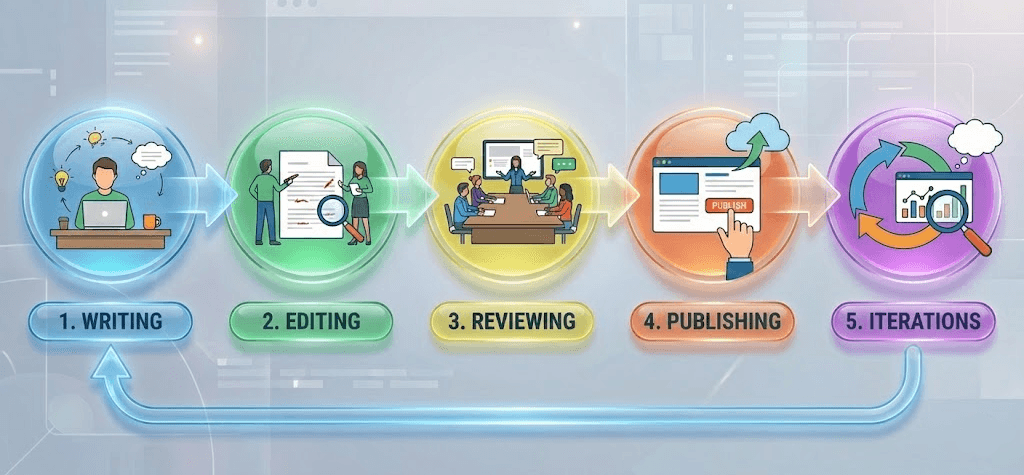 Content publishing flow example
When content changes often, version history is essential. What is not less important is the ability to roll back to any version instantly. All three CMSs handle this well.
Approval workflows are where things differ. Every business has its own process: content review, legal review, final sign-off, etc. Having this built into your CMS saves time for larger teams and helps operate more efficiently.
Payload and Directus let you build custom workflows through code with no limitations. Strapi is more limited here.
Localization and translations
All 3 products, Payload, Directus, and Strapi support i18n and AI translations. Learn more about localization and AI translations.
Customizing CMS UI
We have to remember, content editors are not technical people. CMS interface should be simple and clear. Making their work easier, not harder.
Payload lets you fully customize the editing UI. It offers ready-made elements like tabs and collapsible sections to organize your fields. On top of that, you can build your own controls and pages with a Payload component.
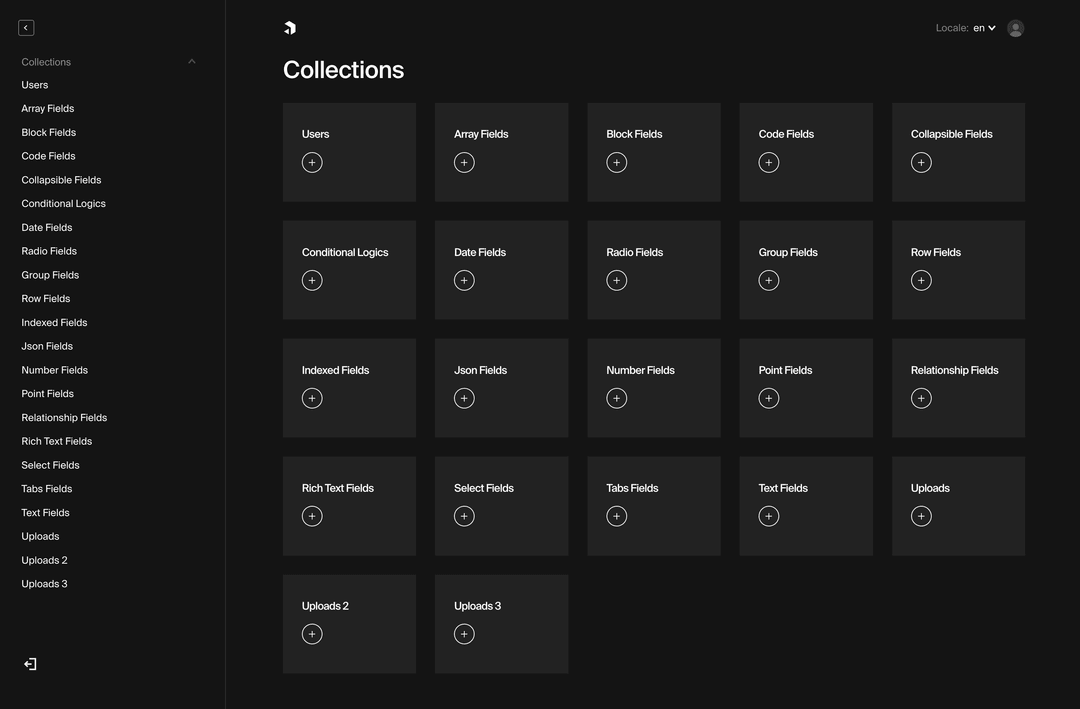 Payload fields
Directus also supports UI customization. You can override field types and configure them through code.
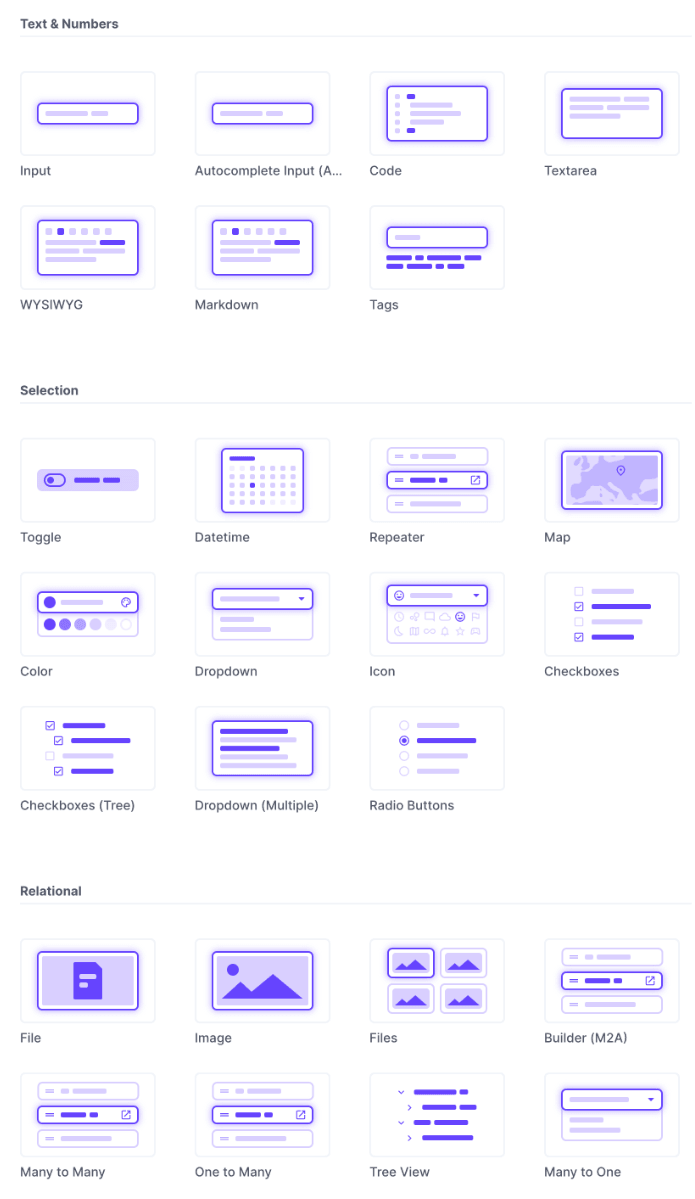 Directus fields
Strapi offers UI customization options with custom fields. It allows you to create unique data inputs, but lacks customization.
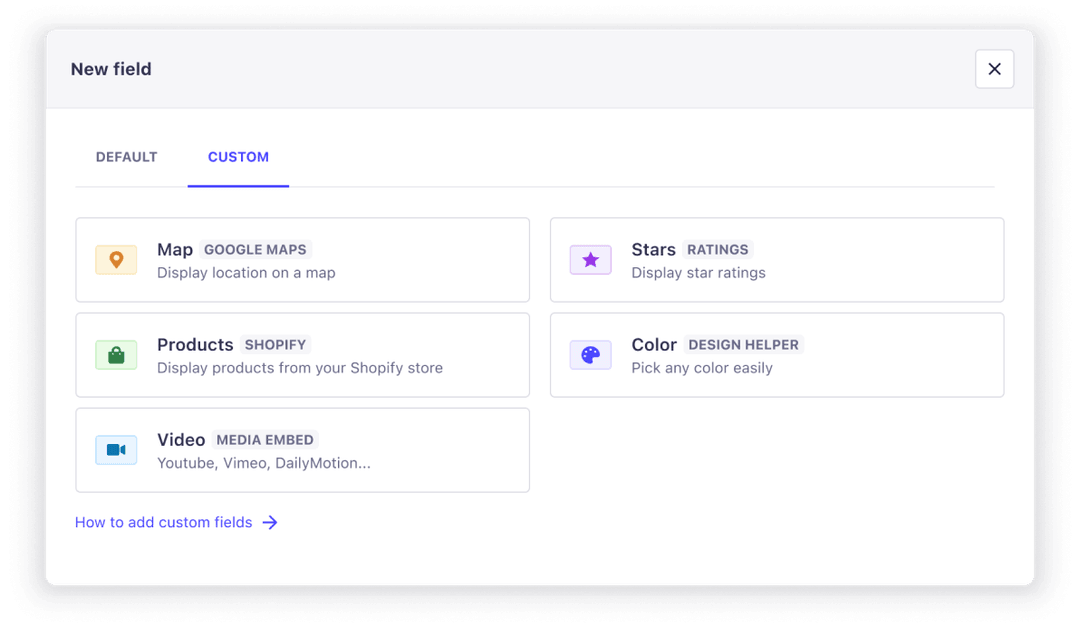 Strapi custom fields
If you want to build an exceptional experience tailored to your team, you should pick Payload. See how our Payload CMS agency approaches custom UI builds.
Data ownership and self-hosting
When your data lives with a third party, you don’t have full control. This puts you at risk. SaaS prices can rise unexpectedly, their services can be down, or data storage solution doesn’t fit your needs
We believe every company should own its data. It gives you flexibility and directly impacts your business.
Key benefits of self-hosting:
- Scaling - simple, predictable, and cheap
- Data operations - export, import, and backup anytime
- No hidden costs - no limits on API calls or operations
- Compliance - full control over your infrastructure and custom logic
Plugins and integrations
Open-source CMSs have large plugin ecosystems - no surprise there.
Directus has over 500 extensions, including AI, analytics, themes, and more.
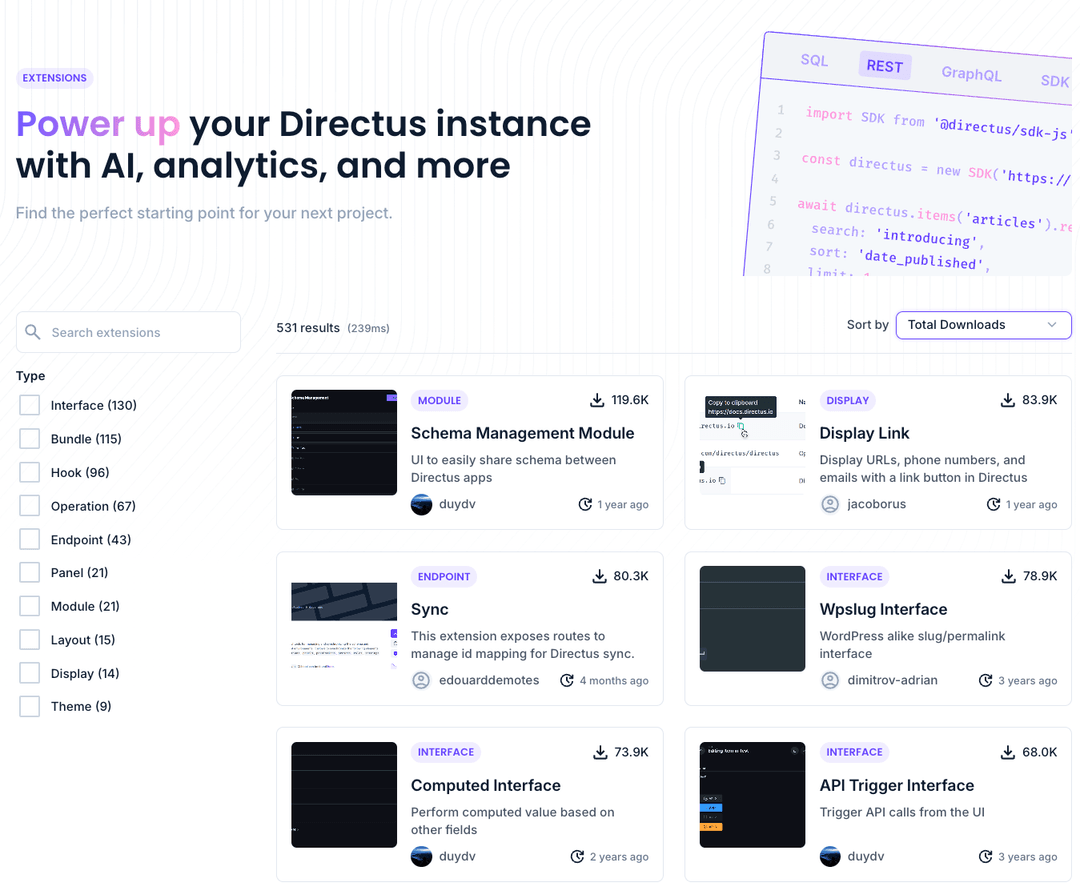 Directus extansions marketplace
Payload offers both official and community plugins like Stripe, e-commerce, Sentry, and others. You can also write your own plugin to integrate any functionality.
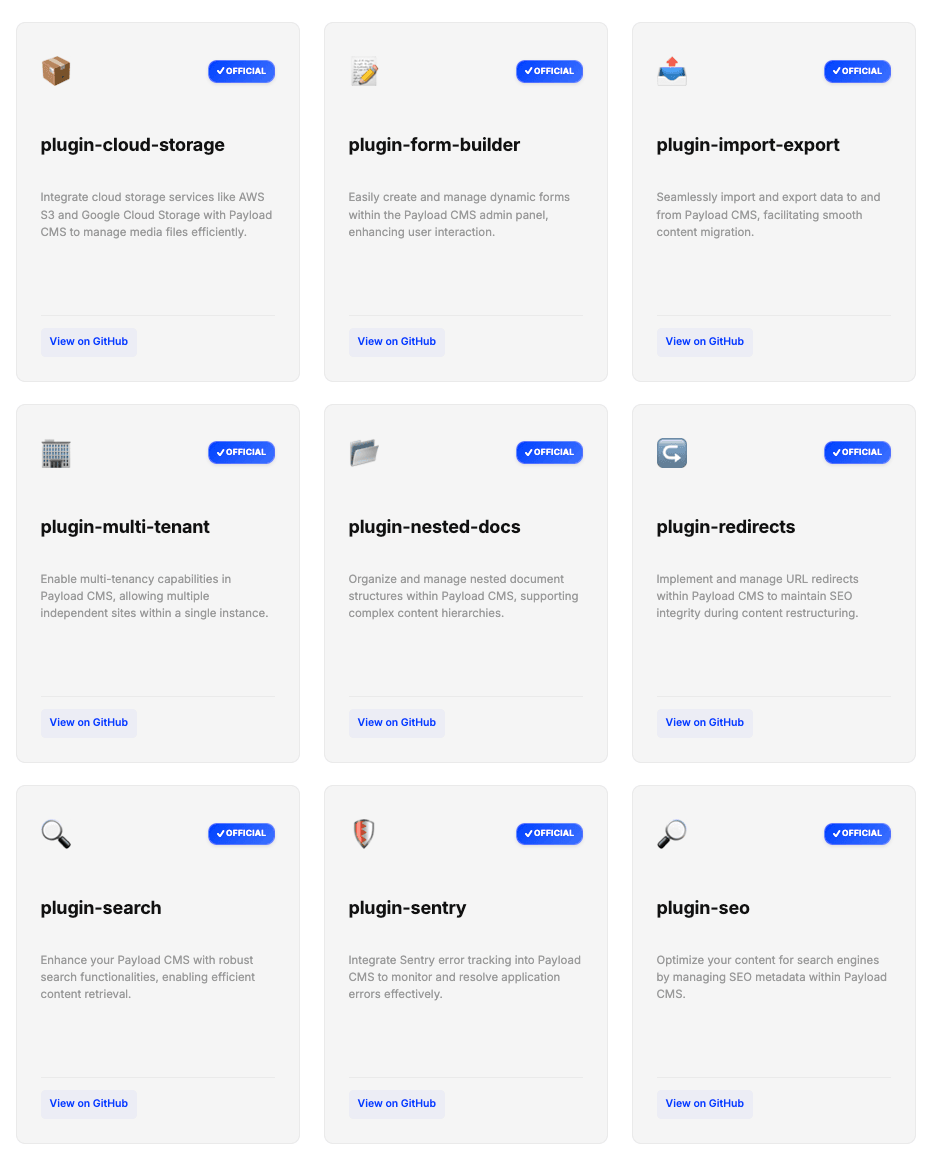 Payload official plugins
Strapi has 240+ plugins in its marketplace.
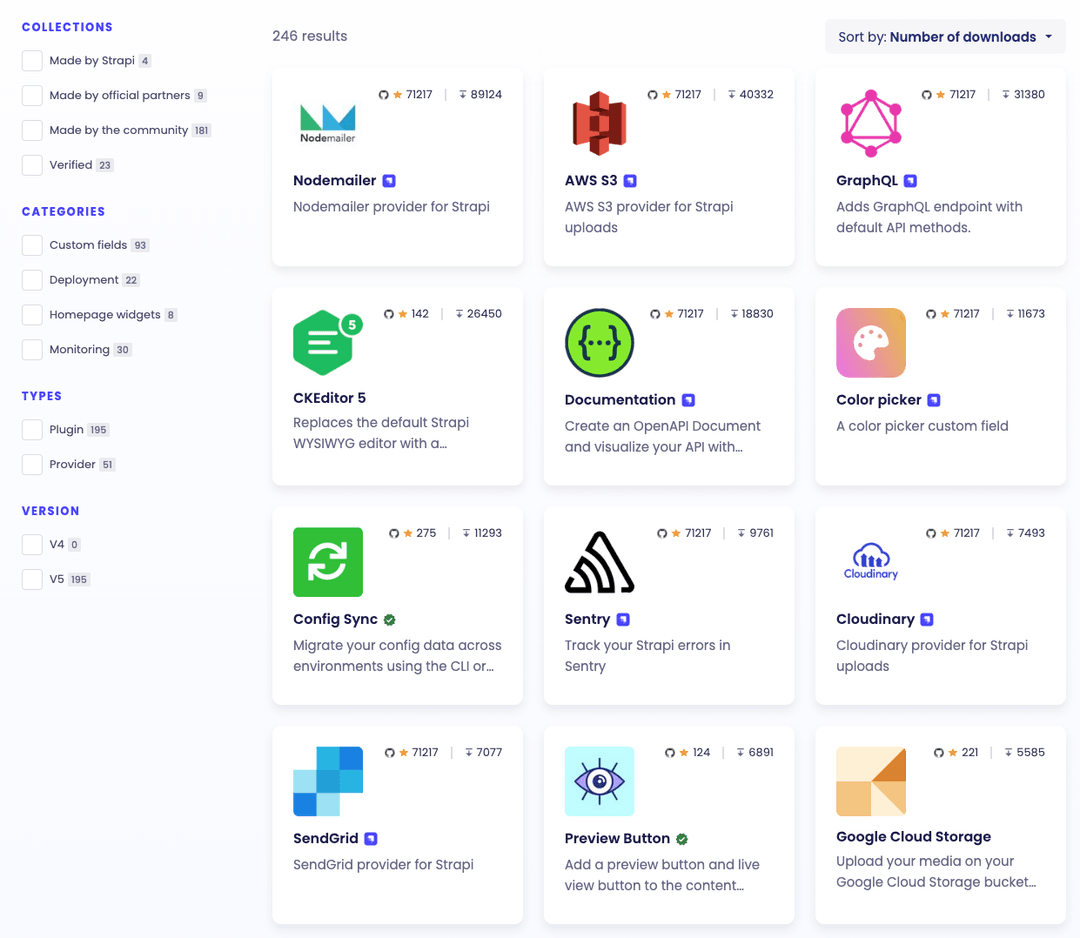 Strapi plugins marketplace
AI in headless CMS
AI in a CMS is no longer optional. Large language models have matured, and the tools built on top of them now deliver real value for content teams. We use AI agents every day and have seen firsthand how they streamline content operations, accelerate workflows, and reduce manual work.
Here’s how leading open source CMS platforms approach AI:
Strapi offers Strapi AI, a built-in assistant that can create and edit content, generate and modify content models, and import designs from Figma. It also supports AI-powered image metadata generation and content translation, helping teams scale content production more efficiently.
The catch: AI is only available on the Growth plan and charged by usage, which makes it not really open source.
Payload supports AI out of the box and provides translations, image generation (with DALL-E), writing assistant, and auto-embedding for search.
The catch: these features are limited to enterprise clients, similar to Strapi.
This can lead to higher costs and potential vendor lock-in. An alternative is to build your own AI plugin or use an existing solution. For example, Agentic CMS offers fully integrated AI tools out of the box for content generation, translations, and workflow automation.
Directus has built-in AI features:
- AI chat sidebar - create content, model schemas, triggering automations, and analyze data
- MCP (Model Context Protocol) - connect Directus project to your AI client like ChatGPT, Claude Desktop or Cursor
- Official extensions - AI Writer Operation, AI Image Generation and Moderation, AI Focal Point Detection and more
Listed tools position Directus ahead of the competition.
One thing that unites all three CMSs is that you can use custom plugins. You can use existing one, like the one we developed for our clients, щor create your own from scratch.
Verdict: Directus is ahead here. AI isn’t locked behind an enterprise plan, and you control costs by using your own keys. But if you need custom AI logic, all three of them, Payload, Directus and Strapi let you build plugins for that.
Directus vs. Payload vs. Strapi: Which Headless CMS Is Best in 2026?
In 2026, Directus and Payload stand out as the top open-source headless CMS options, delivering superior flexibility, complete data ownership through self-hosting, and robust AI integrations like content generation and chat tools.
They excel in key areas such as customizable UIs, granular roles and permissions, live previews, publication workflows, and extensive plugins, outperforming alternatives like Strapi for advanced needs.
Choose Directus if you want to add a CMS on top of existing data and get a balance of features, flexibility, and accessible AI tools. It’s the most generous with its free tier and lets you bring your own API keys for AI.
Choose Payload if you develop from scratch. You will get great features and flexibility, extending logic with custom AI plugins. It’s powerful but requires more developer involvement.
Choose Strapi if neither Payload nor Directus help you achieve your goal. It’s a solid fallback option with basic features and a large plugin ecosystem. Keep in mind that some of the features are only included for paid plans.
All of them let you self-host, own your data, and avoid vendor lock-in. That alone makes them worth considering over any SaaS CMS.
Open source CMS: beyond the tech decision
Choosing a CMS is no longer just a technology decision. It affects how quickly teams publish content, adopt AI workflows, launch new channels, and scale digital experiences. If you’re evaluating platforms or planning a migration, explore our Headless CMS services to build a content platform that supports both business goals and technical requirements.

.png&w=828&q=90)