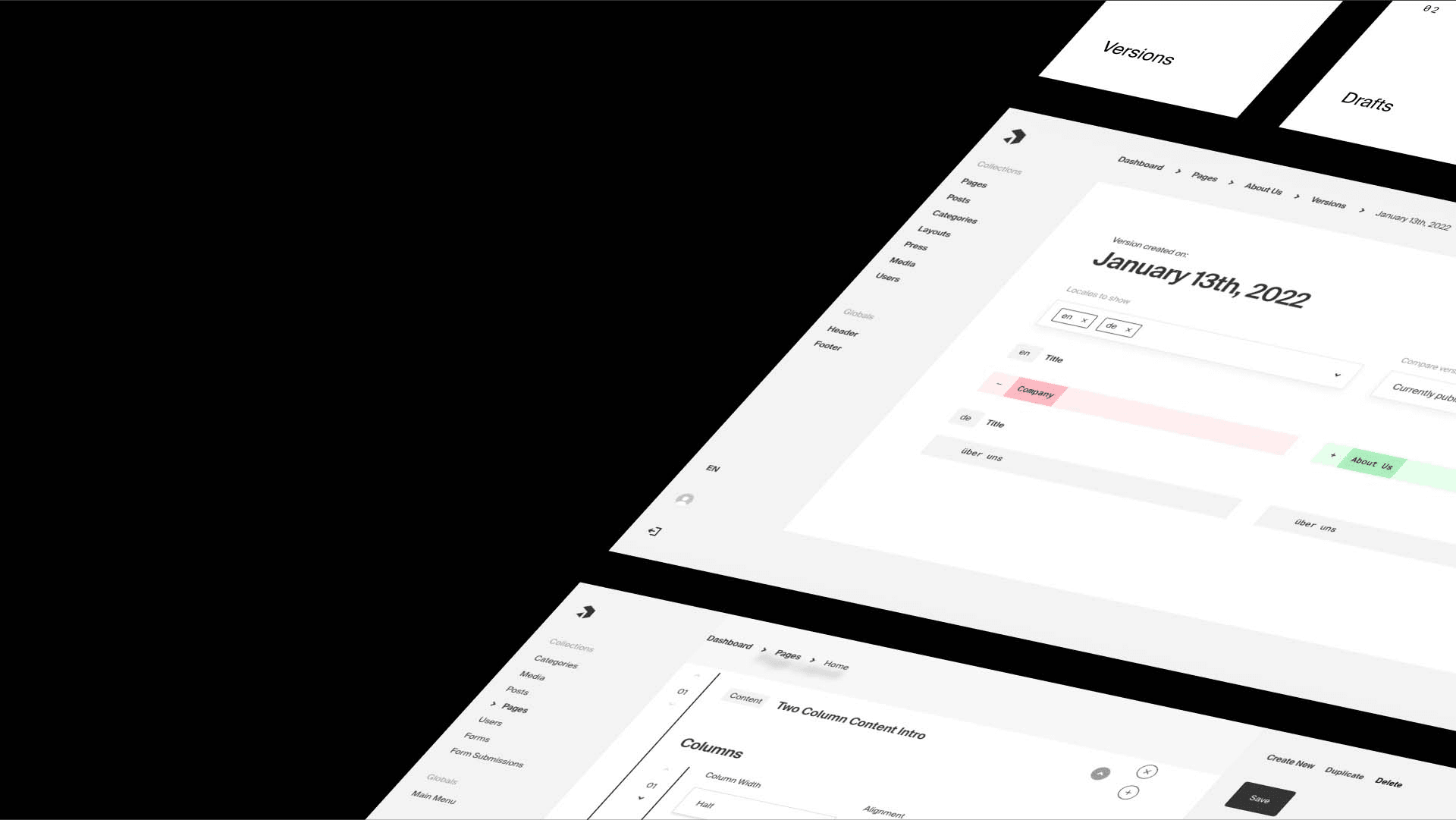
What is Payload CMS?
Discover how Payload CMS combines the power of headless content management with developer-focused features for project flexibility and control.


Before you commit, get a realistic baseline. Try our free Migration Estimator — an automated site analysis calibrated and reviewed by our senior engineers. Get a clear view of your technical scope, timelines, and budgets without the guesswork.

If you need deep customization through code, Payload CMS excels.
Before locking into a headless CMS, we walk clients through the tradeoffs from every angle — not just the feature list. Payload gives you real ownership, flexibility, and built-in AI capabilities; Payload is the pick when your team wants to shape everything in code rather than a vendor's UI. All of it runs open-source, self-hosted, and considerably cheaper long-term than SaaS platforms like Sanity or Storyblok.

Best for: Component-driven React architecture with a GUI
Features
Decouple your visual presentation from Webflow's generated DOM. We rebuild your site as strict Next.js/React components and map them to Storyblok’s API-first visual editor. This gives content editors a real-time preview environment while ensuring engineers maintain 100% control over the codebase, rendering strategies, and Core Web Vitals.

Best for: Graph-like data relationships & GROQ querying
Features
Move from Webflow's rigid multi-reference fields to a NoSQL document store optimized for complex schemas. We re-model your data into Sanity’s Content Lake. Using GROQ and custom Sanity Studio workspaces, we build an architecture that treats content as pure data, bypassing Webflow's strict API rate limits and data structure constraints.

Best for: API-first enterprise orchestration & granular RBAC
Features
Transition from a visual site builder to a scalable composable architecture. We integrate Contentful to provide enterprise-grade GraphQL/REST APIs, granular Role-Based Access Control (RBAC), and environment staging. This is the optimal route for orchestrating a complex Next.js deployment integrated with enterprise CDPs, CDNs, and analytics.
We analyze your Webflow setup - structure, integrations, and performance - to plan the most efficient migration path
We analyze your Webflow structure and rebuild it as dynamic, schema-based content in Payload
We implement a new high-performance frontend using NextJS with Payload API integration
We design custom logic for user accounts, subscriptions, payments, or localization
We ensure smooth deployment, SEO preservation, and provide a short onboarding session for your team.

We design content models, editorial workflows, and governance into the architecture from day one to make your Information Architecture clean and usable as your team, markets, and channels grow.
Editorial UX boosts your marketing team's speed and freedom. They can build pages, launch campaigns, and manage content without needing developer help.

Each project includes a complete SEO + LLM optimization. Performance baseline as standard: Core Web Vitals, structured data, rendering strategy, and AI SEO setup.
Scalable Next.js architecture derived from 7+ years of experience.
Already live? Our Next.js SEO audit gives you an actionable, dev-ready assessment of where you stand.

90% of our projects fit the initial budget. That comes from the time we invest upfront — understanding exactly what we're building before a single line of code is written.
Our CMS Kit has page builders, navigation, localization, content models, and SEO settings. It boosts every engagement. Plus, it won’t limit your choices. It's a smart starter refined across dozens of production deployments, not a constraint.

Focused on designing and publishing pages visually

Shifts content management to a code-first, headless backend that supports more complex data and application-driven use cases
Content is often embedded within layouts and collections tied to specific pages

Models content as structured data, making it easier to reuse across pages, websites, and products
Abstracts away backend logic and infrastructure
Open-source and self-hosted, giving teams full control over content, authentication, access rules, and hosting
CMS customization is constrained by platform features
Allows developers to implement custom fields, hooks, workflows, and validations directly in code - without platform restrictions
Primarily used to build websites
Acts as a flexible backend that can power websites, apps, internal tools, and custom digital experiences from a single system
FocusReactive successfully took over and enhanced our existing site and shop, making the platform faster, more stable, and significantly improving the user experience. The team delivered high-quality work on time, reduced development overhead, and proved to be proactive, knowledgeable, and highly reliable throughout the collaboration.

We picked FocusReactive over other partners because of their no-nonsense approach, technical know-how, experience and price. FocusReactive’s work has doubled SEO traffic in the first week and has received positive feedback from stakeholders. A lot of companies have layers of sales on top of them and if you don't plan in advance, you cannot get the resources needed. FocusReactive ensures that you are never blocked because they will prioritise for you.

FocusReactive has been an exceptional partner, delivering all our requirements ahead of schedule. Their team feels like an extension of ours, understanding our strategy and anticipating our needs. They helped us build two modern, SEO-friendly marketing websites that our marketing team can easily manage without relying on developers. The team is incredibly talented, responsive, and always takes pride in their work. Thanks to FocusReactive, we've been able to scale our marketing efforts more effectively. We couldn’t have asked for a better partner.

FocusReactive completed the project on time and added extra tasks without compromising the schedule. As a result, the client was pleased with the new site's look and feel. FocusReactive held weekly virtual meetings to share accomplishments and questions. They were organized and flexible.

FocusReactive helped us launch a high-performing website with 20% faster load times and 40% less manual work thanks to seamless integrations. DatoCMS also allowed our team to update content 50% faster, all delivered with clear communication and reliable project management.


Migration from Webflow toPayload CMS
Usually between 4–8 weeks, depending on features and backend complexity
Yes, we migrate all URLs, metadata, and redirects to maintain your SEO results
Payload offers full control - self-hosted, extendable, and ideal for complex or data-driven sites
After setup, your marketing team can manage pages and content freely - developers handle only new features
We review your Webflow structure and feature scope, then create a migration roadmap with estimated time and resources