Headless CMS for Startups: Scale Fast, Dodge Enterprise Price Shocks

Looking for a headless CMS for your startup? Discover open-source CMSs that scale with you: no vendor lock-in, no surprise bills, full data ownership.

Headless CMS for Startups: Scale Fast, Dodge Enterprise Price Shocks

Best CMS for Start-Up Companies

TL;DR

The real question isn’t which CMS is cheapest today, it’s whether your costs grow linearly or exponentially as your startup scales. When choosing a headless CMS for startups, plan 12–18 months ahead, not just for launch day.

  • Payload (self-hosted) has zero licensing costs. You pay for infrastructure ($150-250/mo) and upfront engineering time. Flattest cost curve long-term, highest initial investment.

  • Storyblok hits a sweet spot for startups at ~$450-550/mo (Growth Plus) with 15 seats and 10 locales. The 20-seat cap means fast-growing teams hit Enterprise pricing sooner than expected.

  • Sanity looks cheap at $15/seat/month, but isolated staging datasets ($999/mo) and quota add-ons ($299/mo) can push costs to $1,500+/mo. Wide range depending on your workflow choices.

  • Contentful is the most expensive option for startups. Premium tier typically runs $2,000-3,500/mo on annual contracts.

Why Headless CMS Has Become the Default Choice for Startups

In 2025-2026, headless CMS has become a mainstream choice for many startups and growing digital teams.

You get:

But here’s what most teams skip: thinking about how their headless approach scales as the business grows. You pick a CMS, ship the first version, and move on. Eighteen months later, the invoice looks different. We’ve seen this pattern before.

Headless CMS for Startups: The Market Is Already All-In on CMS

The web content management market is projected to reach 15.3 billion by 2028 at a 13.5% CAGR, with 69% of global B2C decision-makers increasing their CMS investment year over year (Forrester).

In their 2024–2026 strategic roadmap, Gartner projected that by 2026, at least 70% of organizations would be mandated to acquire composable DXP technology, API-first and headless, over monolithic suites (Gartner). That timeline is now.

Over 70% of all websites already run on a CMS (W3Techs), and headless CMS has become a mainstream strategic consideration alongside template-based platforms. The shift isn’t coming. It already happened.

Growth means more users, more content, more traffic, more markets — and inevitably, higher costs. The goal isn’t to avoid those costs; it’s to ensure they grow predictably, not as a surprise after you’ve already succeeded. That’s the part that’s easy to get wrong.

Whether you’re choosing a headless CMS with growth in mind or already scaling and questioning whether your current setup will hold up in a year, the architectural decision you make now compound over time.

How CMS Costs Scale as Your Startup Grows

Growth compounds your content infrastructure in ways most teams don’t anticipate until they’re already paying for it.

  • More content gets created.
  • More editors need CMS access.
  • Traffic increases.
  • Preview and staging environments multiply.
  • Localization and international SEO expand your content footprint across regions and languages. None of this is surprising — it’s what scaling looks like.

The question is whether your CMS and [hosting] costs(https://focusreactive.com/nextjs-hosting-options-overview/) grow in proportion to that value, or whether they start outpacing it.That decision compounds.

The platform you pick when you’re publishing 200 pages behaves very differently when you’re managing 20,000, and the pricing model that felt reasonable at the start can look very different when you’re running multiple environments, paying per seat, and hitting API rate limits you didn’t know existed.

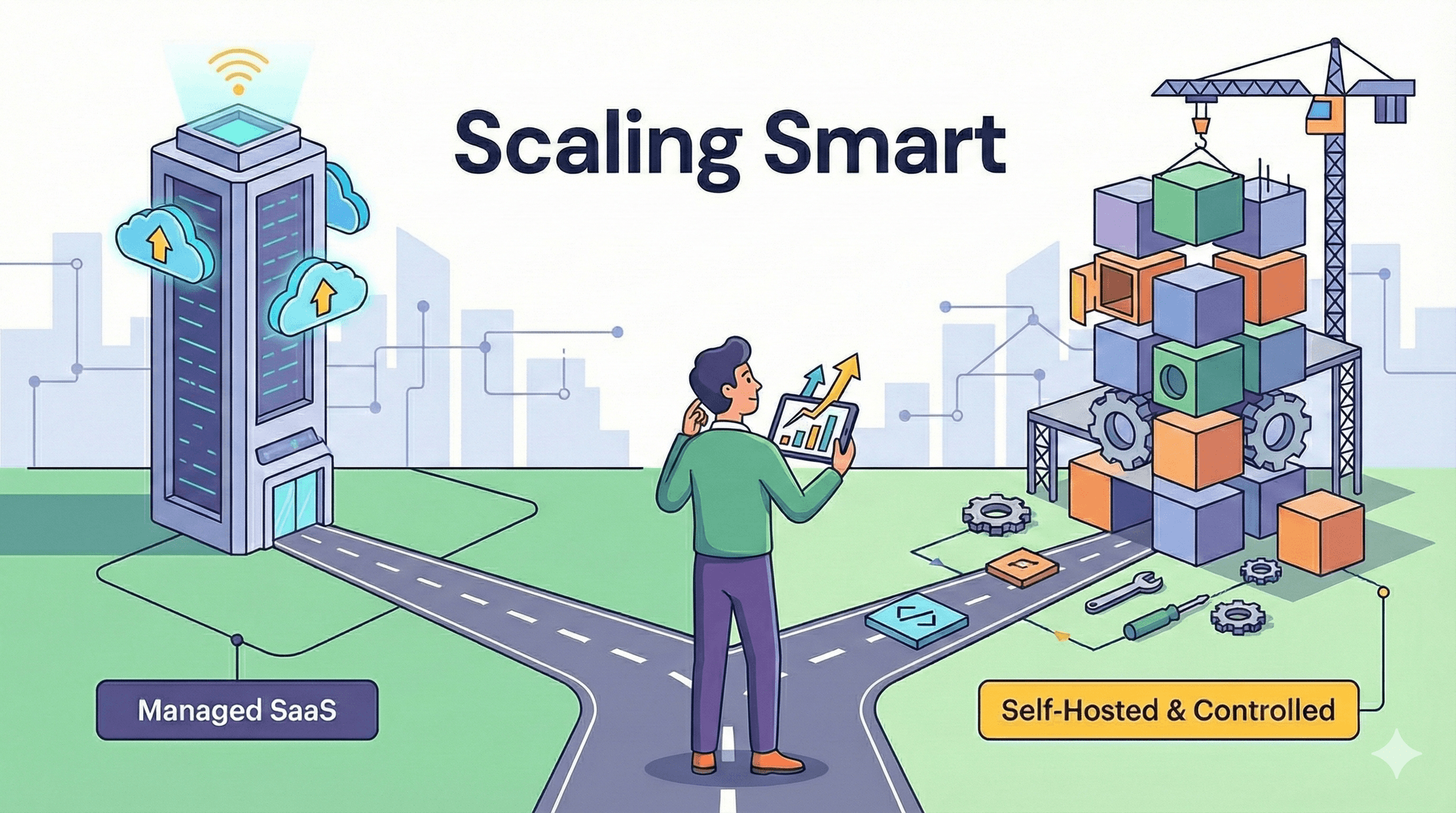
Two Approaches to Headless CMS for Growing Startups

You’ll end up choosing between two models. Both are valid. The trade-offs are what matter.

Approach 1: Managed SaaS Headless CMS with Enterprise Plans

Platforms like Storyblok and Sanity, combined with managed hosting like Vercel, give you a strong starting position:

  • Fast onboarding,
  • Polished editorial experience,
  • Minimal infrastructure responsibility,
  • Enterprise-grade support, SLAs, and security.

For early-stage startups, this is often the right call. Ship fast, validate the product, worry about infrastructure later.

The catch is how costs scale. Pricing on these platforms is driven by:

  • Number of editors and roles,
  • API usage and content volume,
  • Number of environments (preview, staging, production),
  • Traffic and bandwidth,
  • Advanced workflows, localization, or compliance needs.

As you grow, all of these grow together. That’s when the enterprise-tier conversation begins: sometimes before you’re fully ready for it.

Storyblok Pricing

See current Storyblok pricing

Storyblok prices by seats, spaces, and usage. The free Starter tier includes 1 seat (max 2 with a paid add-on), 1 space, and 2 locales - enough for a proof of concept.

Growth at $99/month gives you 5 included seats (max 10), 1M API requests, but still only 2 locales.

For a startup with 8–15 editors and multiple markets, you need Growth Plus at $349/month - 15 included seats, 10 locales, and more advanced scheduling and preview features.

Extra seats cost $15/month each, but the plan caps at 20 seats total - beyond that, you’re in Enterprise territory ($3,000+), which usually triggers a sales conversation rather than a self-serve upgrade. Extra locales beyond the included 10 are $20/month each. Traffic overages run $75 per 250GB.

Note: advanced custom roles, workflow stages, and release management are Premium/Elite features, not included in Growth Plus.

The jump from Growth to Growth Plus is where most teams feel the impact - and the 20-seat ceiling means fast-growing teams can hit Enterprise pricing sooner than expected.

Sanity Pricing

See current Sanity pricing

Sanity uses per-seat pricing. The free tier supports up to 20 users but limits you to 2 public datasets, 10K documents, and basic roles (Admin/Viewer only).

Growth at $15/seat/month unlocks 5 roles, private datasets, 25K documents, 90-day history, and collaboration features like comments and scheduled publishing.

For 12 editors, that’s $180/month - reasonable on the surface. One advantage: the Growth plan supports up to 50 seats - far more generous than Storyblok’s 20-seat cap.

The catches: only 2 datasets are included, and if your team chooses to isolate staging in a dedicated dataset - which is a common pattern for production-grade workflows - that’s an additional $999/month per dataset.

The 25K document cap can get tight for content-heavy sites, and the Increased Quota add-on runs $299/month. SAML SSO is $1,399/month. The per-seat price looks low until you need what’s behind the paywalls.

Contentful Pricing

See current Contentful pricing

Contentful deserves a separate mention. It’s one of the most established headless CMS platforms, but its pricing is among the least startup-friendly. The free tier supports 10 users but caps you at 2 locales and 1 space - no staging.

Lite at $300/month gets you 20 users and 3 locales, but that’s still not enough for most multi-market startups. Sandbox environments, advanced roles, and proper locale support are Premium features - custom pricing that, based on our experience with client migrations, typically falls in the $2,000–3,500/month range on an annual contract.

We’ve helped teams migrate away from Contentful specifically because costs outpaced the business. For a deeper look, see our Contentful vs Sanity and Storyblok vs Contentful breakdowns.

If you’re evaluating content management systems today, this is one we steer most startups away from unless a specific integration or enterprise requirement demands it.

Why this matters:

Enterprise plans aren’t a problem by themselves. They become a problem when you hit them by surprise: without planning for how costs grow alongside the business.

CMS Pricing Comparison for a Mid-Size Startup Site

Approximate monthly costs for a startup running a content-heavy site with 12 editors, 5+ locales, and a staging environment - a typical profile 12–18 months after launch. Prices verified against official pricing pages as of early 2026.

Storyblok Sanity Contentful Payload (self-hosted)
Plan needed Growth Plus ($349/mo) Growth ($15/seat x 12) Premium (Enterprise) Free (open source)
CMS cost $349/mo $180/mo (base seats) $2,000–3,500/mo (est.) $0
Staging / environments Preview & scheduling +$999/mo if isolated dataset Premium only No software fees (infra-dependent)
Locales 10 included Unlimited Custom Unlimited
Seats 15 incl. (max 20) Up to 50 Custom Unlimited
Hosting (Vercel Pro) ~$60–100/mo (3–5 dev seats) ~$60–100/mo (3–5 dev seats) ~$60–100/mo (3–5 dev seats) ~$150–250/mo (AWS / Vercel + managed DB)
Estimated total $450–550/mo $540–1,500+/mo $2,100–3,600+/mo $150–250/mo
Engineering overhead Low Low–Medium Low High (initial) / Medium (ongoing)

*Sanity’s range is wide because the per-seat cost is low, but if you need an isolated staging dataset ($999/mo) or quota add-ons ($299/mo), the total spikes significantly.

*Contentful’s Premium pricing is custom - the $2,000–3,500/mo range reflects our experience with client contracts, not official published tiers.

*Vercel Pro starts at $20/month per deploying seat; the $60–100 estimate assumes a 3–5 person dev team.

*Payload’s cost advantage comes with higher upfront engineering investment - migrations, CI/CD, and managed database setup.

Approach 2: Self-Hosted or Controlled Headless CMS

The other path is a self-hosted or controlled CMS architecture - Payload being the strongest option in this category.

This model changes how scaling works:

  • Fewer platform-imposed limits,
  • Costs driven by infrastructure and engineering, not pricing tiers,
  • Full ownership of content and data,
  • No seat-based ceilings.

Instead of paying more as usage grows inside a SaaS platform, you invest in hosting and engineering. The cost curve is flatter, but the upfront investment in technical capability is real. You need a team that knows how to run this. Production, not prototypes.

Why CMS Flexibility Matters More Than You Think

One thing you’ll consistently underestimate: how often your content operations need to change.

Markets shift. You may suddenly need to:

  1. Introduce new content types or rework existing workflows.

  2. Add custom validation, approvals, or publishing logic.

  3. Expand localization and translation, including market-specific variants.

  4. Integrate content deeper into product features and other systems

With managed CMS platforms, you address these through existing features, predefined workflows, vendor roadmaps - or workarounds. The platform serves thousands of customers, so its priorities don’t always align with yours. That’s the trade-off you accept for the convenience.

With a controlled, self-hosted architecture, your team builds exactly what the business needs - on your timeline, not the vendor’s. Custom content features ship when you need them. Workflows adapt without waiting for a platform update. Content operations align directly with business logic.

When the market moves fast, that flexibility becomes a competitive advantage. The right architecture for the problem is not the most popular one.

Choosing a CMS Architecture That Scales With Your Startup

It’s a simple question: how do you want your costs, flexibility, and operational complexity to grow as your startup scales?

  • Managed enterprise platforms optimise for convenience and support.
  • Controlled architectures optimise for long-term predictability and adaptability.

Neither choice is wrong. Problems arise when you pick a model early, only to realise later that your startup has outgrown the assumptions behind that decision.

Choosing the right Headless CMS for startups ensures your content, workflows, and growth scale efficiently. That architectural decision compounds over time.

CMS Migration: What to Do When Costs Outpace Growth

If you’re thinking, “We shipped quickly, but now our CMS and hosting costs are rising faster than expected,” that doesn’t mean your original decision was wrong. It usually means youre startup entered a new growth phase.

Migration sounds daunting - downtime, SEO risk, business disruption. In practice, modern headless architectures make it possible to migrate incrementally - with proper redirect mapping, URL parity, and rollout discipline, teams can safeguard SEO performance and avoid downtime.

We’ve done this enough times to know: with the right approach, it’s a controlled transition, not a rewrite.

Scale Without CMS Lock-In

Growth inevitably drives up costs. The aim isn’t to shy away from enterprise platforms or premium tooling: it’s to select a headless CMS for startups that remains sustainable as your business scales.

Your focus is on growing the business; the CMS infrastructure should support that growth, not hinder it. Choosing a scalable, flexible headless architecture ensures content, workflows, and operations evolve alongside your startup.

FocusReactive builds and migrates headless CMS architectures for startups that have outgrown their initial setup. We’ve helped teams move from Contentful, Storyblok, and legacy WordPress installations to modern, cost-predictable stacks built on Payload, Sanity, and Next.js - minimizing downtime, protecting SEO performance, and avoiding the migration horror stories.

If your CMS costs are climbing faster than your revenue, let’s talk about what a migration actually looks like for your stack.

Headless CMS for Startups: Scaling Without Pricing Surprises – FAQ

Answers to common follow-up questions about scaling a headless CMS for startups, focusing on cost, architecture choices, and team impact.

You can treat your CMS like any other core SaaS and build a simple forecast model.

Track a few leading indicators:

  • Editors and roles: How many new editors do you add per quarter? When do you expect to need granular roles or SSO?
  • Content volume: How many new documents or entries do you publish per month? Are you adding new content types that multiply entries (for example, per locale, per market)?
  • Traffic and API calls: Use your hosting and analytics tools to estimate API calls per pageview and project traffic growth.

Then map these curves to the public pricing pages of your CMS and hosting provider. Create 3 scenarios: conservative, expected, and aggressive growth. If two of those scenarios hit enterprise tiers within 12–18 months, you should treat that as a real budget line and start evaluating whether to stay on SaaS or plan a controlled migration.

Revisit this model every quarter. The goal is not to avoid higher tiers at all costs, but to avoid being surprised by them.

Each group feels the tradeoffs in a different way:

  • Developers: Managed SaaS CMSs reduce infrastructure work but can be restrictive when you need custom logic or deep product integration. Self-hosted options give more control over APIs, data models, and deployment, but require ongoing maintenance and stronger DevOps skills.
  • Content teams: They care about editor experience, preview quality, and workflow. SaaS platforms often ship polished UIs and built-in workflows. Self-hosted setups can match or exceed that, but only if you invest in schema design, custom components, and training.
  • Business leaders: They focus on predictability, time to market, and risk. Managed SaaS looks safer early on because it reduces operational risk and speeds up launch. Over time, if pricing becomes unpredictable or the platform slows down content changes, leaders may prefer a controlled architecture with clearer long-term cost curves.

When you evaluate options, run short role-specific demos: let editors try real content tasks, let developers inspect APIs and deployment, and give leadership a clear 2–3 year cost and risk comparison.

A move usually makes sense when at least two of these are true:

  • Costs scale faster than revenue: Your CMS and hosting bills grow faster than the business value you get from the platform features.
  • You hit platform limits often: You need custom workflows, validation, or integrations that are hard or impossible to implement within the vendor's constraints.
  • You have or can hire strong engineering: A self-hosted setup shifts responsibility to your team. If you do not have engineers who are comfortable with infrastructure, observability, and security, the move will be painful.
  • You need strict data ownership or compliance: For example, you must keep content in specific regions, or integrate deeply with internal systems.

If you see these signals but are unsure about timing, run a small proof of concept with a self-hosted CMS on a non-critical property (for example, a blog or a regional site). That gives you real data on maintenance overhead and performance before you commit to a full migration.

Self-hosted or controlled architectures trade subscription costs for engineering and operations work. The main hidden costs are:

  • Infrastructure management: You need to set up and maintain hosting, databases, backups, monitoring, and alerting. This includes handling scaling events and incident response.
  • Security and compliance: You are responsible for patching, dependency updates, access control, and audits. Managed SaaS vendors usually absorb part of this.
  • Upgrades and breaking changes: When the CMS releases a new major version, you must plan and execute the upgrade, test it, and roll it out.
  • Developer onboarding: New engineers must learn your specific CMS setup, deployment process, and conventions.

To keep these costs under control, standardize your infrastructure (for example, use a single cloud provider and a common IaC stack), document your CMS schema and workflows, and schedule regular maintenance windows instead of reacting only when something breaks.

Treat the CMS as one service in a composable stack, not as the place where everything lives.

A practical setup often looks like this:

  • Frontend: A Next.js app that consumes content from the CMS and data from other APIs. If you are worried about performance or SEO, a periodic nextJS audit can reveal issues in data fetching, caching, and routing.
  • Commerce: A dedicated commerce platform or API, integrated at the page level. The CMS holds page structure, copy, and merchandising rules, while the commerce system owns prices, inventory, and checkout.
  • Marketing tools: Analytics, A/B testing, and personalization tools connect to both the frontend and the CMS. The CMS should expose identifiers and metadata that make segmentation and experiments easier.

If you do not have in-house experience designing this kind of architecture, working with a headless cms agency or headless commerce agency can save time and reduce the risk of building a brittle integration that is hard to change later.

A practical way to decide is to map your next 12–24 months along three axes: speed to launch, team maturity, and cost predictability.

Choose a managed SaaS headless CMS (e.g., Storyblok, Sanity + Vercel) when:

  • You need to ship fast and validate product–market fit.
  • You don’t yet have a strong internal DevOps / platform team.
  • You want a polished editorial UI, roles/permissions, and workflows out of the box.
  • You’re okay with costs scaling based on editors, environments, traffic, and features.

Choose a self-hosted / controlled architecture (e.g., Payload or similar) when:

  • You already see content, traffic, and teams growing quickly.
  • You want most of your costs to be infrastructure + engineering, not per-seat or per-environment.
  • You need deep customization of content models, workflows, and integrations.
  • You’re ready to own hosting, monitoring, and security (or have a partner who can).

Implementation tip:

  1. Write down concrete growth assumptions: expected number of editors, locales, environments, and traffic in 12–24 months.
  2. Simulate pricing on 2–3 SaaS platforms using those numbers.
  3. Compare that to a self-hosted setup: estimate cloud infrastructure (e.g., a couple of app instances, a database, a CDN) plus 0.25–0.5 FTE of engineering time.
  4. Choose the model that makes your CMS costs predictable for your growth.

You don’t have to get it perfect on day one, but you do want to avoid discovering in a year that you’ve silently grown into an enterprise tier you never budgeted for.

Watch for specific pricing triggers that tend to push startups into enterprise plans earlier than expected:

  1. Editor and role limits
  • You’re close to the maximum number of editors on your current plan.
  • You need more granular roles/permissions that are only available on higher tiers.

2. Environment and project limits

  • You want separate preview, staging, and production environments, but your plan only includes one or two.
  • You’re spinning up microsites or regional sites, and each one counts as a new project/space.

3. API usage and content volume

  • You’re hitting or approaching API rate limits during traffic spikes.
  • You’re paying overages for bandwidth or content reads.
  • Your content models are growing (more documents, more locales) and storage-based pricing starts to matter.

4. Localization and advanced workflows

  • You need multi-language support, approval workflows, or advanced scheduling that is locked behind enterprise tiers.

5.Security and compliance requirements

  • Legal or enterprise customers require SSO, audit logs, or specific compliance features that only exist on top plans.

If two or more of these are true and you’re still early in your growth curve, it’s a strong signal that your current SaaS model may become financially uncomfortable as you scale. That’s the right time to evaluate whether a controlled, self-hosted architecture would give you more predictable long-term costs.

You reduce lock-in by separating concerns and treating your CMS as one replaceable component in your stack.

Practical steps:

  1. Use a clean content domain model
  • Design content types around your business concepts (e.g., Article, Product, LandingPage) rather than around a specific CMS’s features.
  • Avoid heavy use of proprietary field types or vendor-specific scripting where possible.
  1. Introduce an API abstraction layer
  • Instead of calling the CMS API directly from your frontend everywhere, create a small content service (e.g., a Node/Next.js server or serverless functions) that:
  • fetches from the CMS,
  • normalizes data into your own internal types,
  • exposes a stable API to your frontend.
  • If you migrate later, you only change this layer, not every frontend component.
  1. Standardize on common formats
  • Prefer JSON-based content structures and common patterns (e.g., blocks, slices) that can be mapped to other systems.
  • Keep media in a separate, generic asset service (e.g., a CDN or media platform) instead of tightly coupling it to the CMS.
  1. Plan for export from day one
  • Confirm how you can export all content (including drafts, locales, and relations) from your current CMS.
  • Schedule periodic backups/exports so you always have a recent snapshot.
  1. Decouple preview and publishing
  • Implement preview via your own preview endpoints rather than vendor-specific preview-only features where possible.

This approach lets you start with a convenient managed SaaS CMS, but keeps the door open to move to a self-hosted or different SaaS solution later without a full rewrite.

Environments are essential for safe content operations, but they can drive costs up on SaaS platforms. A few patterns help keep them under control:

  1. Start with a minimal but safe setup
  • Production: live content.
  • Preview: used by editors to see unpublished changes.
  • Use feature flags and content versioning instead of creating a new environment for every experiment.
  1. Avoid environment-per-market unless truly needed
  • Prefer one multi-locale project over separate projects/environments per country, unless legal or operational constraints require strict separation.
  1. Use your hosting platform for staging, not always your CMS
  • You can often have multiple frontend deployments (e.g., staging, QA) all pointing to the same CMS environment, differentiated by preview tokens or feature flags.
  • This gives you staging behavior without paying for extra CMS environments.
  1. Define clear environment responsibilities
  • Production: only published, approved content.
  • Preview: drafts, in-progress changes.
  • If you add a dedicated staging CMS environment later, reserve it for high-risk changes (e.g., new content models, large migrations).
  1. Regularly audit unused environments and projects
  • Clean up old test spaces, POCs, and microsites that still count toward your plan limits.

In a self-hosted architecture, you have more freedom: environments are mostly an infrastructure concern (separate databases, schemas, or branches) rather than a pricing lever, which often makes multi-environment setups cheaper at scale.

Treat migration as an incremental, parallel project, not a big-bang rewrite.

A typical low-risk plan looks like this:

  1. Audit and prioritize content
  • List all content types, locales, and channels (web, app, microsites).
  • Identify which content drives the most business value (e.g., marketing pages, product pages) and migrate those first.
  1. Set up the new CMS in parallel
  • Deploy your self-hosted CMS (e.g., Payload) in your chosen cloud environment.
  • Recreate content models, but take the opportunity to simplify and standardize where current models are messy.
  1. Build a migration pipeline
  • Implement scripts or small services that:
  • fetch content from the old CMS via its API,
  • transform it into the new schema,
  • import it into the new CMS.
  • Run this pipeline multiple times (dry runs) to refine mappings and catch edge cases.
  1. Switch traffic gradually
  • For your frontend, introduce a routing layer that can:
  • serve some routes from the old CMS,
  • serve others from the new CMS.
  • Start with low-risk sections (e.g., blog, help center) before moving core revenue pages.
  1. Protect SEO during the transition
  • Keep URLs, meta tags, and structured data identical where possible.
  • Ensure redirects are in place if any URL structures change.
  • Monitor search console and analytics closely after each batch of routes is migrated.
  1. Freeze and cut over
  • When you’re ready to fully switch, schedule a short content freeze window on the old CMS, run a final sync, and then move all editing to the new system.

With experienced professionals, this becomes a controlled transition: you always have a rollback path, and you can align each migration step with business priorities and release cycles.

Design content models with future change in mind, not just current pages.

Practical modeling guidelines:

  1. Separate layout from content
  • Store reusable content (copy, media, CTAs) in structured documents.
  • Use flexible “blocks” or “slices” for page composition instead of hardcoding layouts into the CMS.
  1. Model for multi-channel reuse
  • Avoid fields that are too page-specific (e.g., homepage_hero_title).
  • Prefer generic fields like title, summary, body, primaryAction that can be reused on web, mobile, and future channels.
  1. Plan for localization from day one
  • Decide whether you’ll use field-level localization (translations per field) or document-level (separate docs per locale).
  • Keep translatable text in fields that are easy to send to translation tools.
  1. Keep business logic out of the CMS where possible
  • Use the CMS for content and configuration, not complex business rules.
  • Implement logic (e.g., pricing rules, eligibility) in your application or backend services.
  1. Version and document your schemas
  • Treat content schemas like code: version them, review changes, and document how they’re used.
  • When you need new features, prefer additive changes (new fields/blocks) over destructive ones that break existing content.

This approach makes it much easier to add new markets, channels, or product features without having to redesign your CMS every six months—or being forced into expensive platform-specific workarounds.

A self-hosted or controlled architecture shifts responsibility from the vendor to your team, so you need a slightly more mature technical setup.

Key capabilities:

  1. Backend / full-stack engineering
  • Comfortable with Node.js (or your chosen stack), APIs, and database modeling.
  • Able to extend the CMS with custom fields, hooks, and integrations

2. DevOps / infrastructure (can be part-time or via a partner)

  • Provisioning and managing hosting (e.g., containers, serverless, or managed platforms).
  • Setting up monitoring, logging, backups, and scaling rules.
  • Handling security basics: TLS, secrets management, access control.

3. Content operations / editorial

  • Someone responsible for defining workflows, permissions, and content governance.
  • Ability to collaborate with engineers on content model design.

4. Process and ownership

  • Clear ownership of the CMS as a product: backlog, roadmap, and maintenance.
  • Defined SLAs for internal stakeholders (e.g., how quickly schema changes or new workflows can be implemented).

If you don’t have all of this in-house, you can still adopt a controlled architecture by working with experienced external partners who set up the foundation, train your team, and remain on call for complex changes. The trade-off is that you invest more in engineering and operations, but you gain long-term cost predictability and flexibility that’s hard to achieve on rigid enterprise pricing tiers.