Headless CMS Architecture Guide for Multisite and Modern Frontends

You picked a headless CMS. The demo looked great, the docs were solid, your team was excited. Six months later, you're staring at a content model that doesn't support your second brand, a preview environment held together with duct tape, and an API bill that tripled because nobody thought about how ISR revalidation would hit your usage tier. The CMS wasn't the problem. The architecture was.
Most "headless CMS guides" spend 2,000 words explaining what a headless CMS is and why it's better than WordPress. You don't need that. If you're here, you've already decided to go headless - or you're deep enough into a project to know the basics. What you need is the architectural layer: how the pieces actually fit together, where the hard tradeoffs live, and which decisions will quietly cost you six figures if you get them wrong early.
This guide is built from that perspective. We'll walk through the architecture of headless CMS systems the way you'd whiteboard it on an architecture call - components, patterns, scaling concerns, and the cost traps that vendor docs conveniently leave out. If you're still evaluating whether headless is right for your project at all, start with our straight-talk guide to choosing a headless CMS and come back here once you've committed.
What Is a Headless CMS
Forget the "body without a head" metaphor. Here's a more useful one: a headless CMS is a content API with an editing interface bolted on top. It stores your content as structured data, exposes it through an API, and doesn't care what you do with it after that. No templates, no routing, no rendering opinions. That's your job.
Architecturally, this means the CMS becomes one service in your stack rather than the entire stack. Your content team works in the CMS. Your engineering team builds the frontend in whatever framework makes sense - Next.js, Astro, a mobile app, all of the above. The two sides communicate through API calls, and neither side needs to know or care how the other one works internally.
This spans a wide range of products. On the SaaS end, you've got platforms like Sanity, Contentful, and Storyblok - hosted, managed, priced by usage. On the self-hosted end, Payload CMS and Directus give you the same content API pattern but running on your own infrastructure, with your own database. The architecture is fundamentally the same either way. The operational and cost implications are not, and we'll get into why that matters later.
What makes this an architectural decision rather than just a product choice: once you go headless, you own the delivery layer. The CMS handles content in, your team handles content out. Every decision from here - how you fetch, cache, render, deploy, and preview that content - is now an engineering problem. That's the upside and the cost.
 Abstract architectural illustration showing a content system with an editor panel, API connections, and multiple device screens displaying the same content
How Headless CMS Architecture Works
The best way to understand headless CMS architecture is to follow a single piece of content from creation to screen. Let's say an editor publishes a blog post.
The editor opens the CMS - a web app running on its own domain, completely separate from your public site. They create a new document, fill in structured fields (title, body, author reference, category tags, publication date), and hit publish. At this point the content exists as structured data in the CMS's storage layer. Sanity stores it in their Content Lake. Payload writes it to your Postgres or MongoDB instance. Contentful puts it in their cloud. Doesn't matter - it's just data now.
 Headless CMS architecture flow diagram showing six connected stages: Content Editor, Headless CMS, API Layer with REST or GraphQL, Frontend App, CDN Edge, and End User, with a webhook connection between CMS and Frontend
That publish event triggers two things. First, the content becomes available through the CMS's API. Any authorized client can now query for it - your website, your mobile app, a third-party integration, whatever. Second, the CMS fires a webhook: an HTTP POST to a URL you've configured, telling your frontend that something changed.
Your frontend - let's say a Next.js 16 app deployed on Vercel - receives that webhook and decides what to do with it. Maybe it triggers on-demand revalidation for that specific page, busting the cached version so the next visitor gets fresh content. Maybe it kicks off a full rebuild if you're using static generation. Maybe it does nothing because the content is fetched at request time anyway.
The visitor hits your site. The request goes to a CDN edge node, which either serves a cached page or forwards to your Next.js server. The server calls the CMS API (or reads from a local cache), renders HTML, and sends it back. The visitor sees the blog post. The entire round trip - editor to screen - took anywhere from milliseconds to a few minutes depending on your caching strategy.
Four layers, four different concerns: content modeling, API delivery, frontend rendering, deployment and caching. The rest of this guide digs into each one.
Core Components of Headless CMS Architecture
Each layer in a headless architecture involves a set of decisions that ripple downstream. Get the content model wrong and your frontend team will spend months working around it. Pick the wrong API pattern and you'll feel it every time you need to add a page type. Here's what each layer actually involves.
The content repository is where your structured content lives. Some platforms are document-based - Sanity stores content as JSON documents in their Content Lake, Payload CMS stores it in Postgres or MongoDB. Others are entry-based, like Contentful, where you define content types and create entries against them. The practical difference: document-based systems tend to be more flexible for complex, deeply nested content structures. Entry-based systems feel more familiar if you're coming from a traditional CMS background. Either way, content modeling is the single highest-leverage decision you'll make. A bad content model will haunt you for the entire life of the project.
The API layer is how your frontend gets content out of the CMS. REST is the most common - straightforward, cacheable, well-understood. GraphQL gives you flexible queries where the client decides exactly what data it needs, which sounds great until your content team starts writing deeply nested queries that tank response times. Then there are proprietary query languages like Sanity's GROQ, which are powerful but lock your query knowledge to a single vendor.
The frontend framework is where your content becomes a website, app, or whatever you're building. Next.js dominates this space for good reason - server rendering, static generation, API routes, and now with version 16, explicit caching via "use cache" that finally makes sense. Here's what fetching content from a CMS like Payload looks like in a modern Next.js 16 setup:
// app/blog/[slug]/page.tsx
import { getPayload } from 'payload'
import config from '@payload-config'

export default async function BlogPost(props: PageProps<'/blog/[slug]'>) {
  const { slug } = await props.params
  const payload = await getPayload({ config })

  const { docs } = await payload.find({
    collection: 'posts',
    where: { slug: { equals: slug } },
    limit: 1,
  })

  const post = docs[0]
  if (!post) return notFound()

  return (
    <article>
      <h1>{post.title}</h1>
      <div>{post.publishedAt}</div>
      {/* render post.content */}
    </article>
  )
}
No REST endpoint to configure, no GraphQL schema to maintain. Payload's Local API calls your database directly from the same Next.js process. This is where self-hosted headless CMS architecture gets interesting - the network boundary between CMS and frontend disappears entirely.
Hosting and orchestration tie it all together. Your CMS and frontend are separate deployments, often on entirely separate infrastructure. Webhooks are the glue: when content changes in the CMS, a webhook fires to your frontend's hosting platform (Vercel, Netlify, your own server) to trigger a rebuild or cache invalidation. Preview environments let editors see draft content before it goes live - but setting these up properly is one of the most underestimated tasks in headless architecture. We've written about building preview environments with Sanity and it's rarely a one-afternoon job.
Frontend and Backend Separation Explained
The standard pitch for decoupling is "flexibility." That's true but vague. Here's what separation actually buys you in practice.
Your content team and your engineering team stop blocking each other. Content editors can restructure pages, add new entries and publish updates without waiting for a deploy. Engineers can refactor the frontend, swap out a component library, or migrate hosting providers without touching a single piece of content. Each side ships on its own schedule. On a monolithic CMS like WordPress, these two workflows are tangled together - a theme update can break content rendering, and a content schema change can break the theme.
Separation also means you can run multiple frontends against the same content backend. Your marketing site, your documentation portal, and your mobile app can all pull from one CMS. You write the content once. Each frontend decides how to display it. This is the architectural foundation for multisite setups which we'll cover in detail shortly.
But decoupling has real costs that the vendor marketing pages won't emphasize. You now operate two systems instead of one. Two deploy pipelines, two monitoring setups, two sets of environment variables to manage. The network boundary between your CMS and your frontend introduces latency that didn't exist when everything ran in one process (unless you're using something like Payload's Local API, which eliminates that boundary by running CMS and frontend in the same Next.js app). Preview environments get harder, too. In WordPress, an editor clicks "Preview" and sees their draft. In a headless setup, you need to build a dedicated preview mode that fetches draft content through a separate API endpoint and renders it in your frontend - and you need to make sure that preview route isn't accidentally exposed to the public. We've covered the nuts and bolts of setting up visual editing with Sanity and Storyblok if you want to see what this looks like in practice.
The tradeoff is worth it for most teams building anything beyond a simple brochure site. But go in with your eyes open.
API-First Content Delivery
Every headless CMS exposes content through an API. The question is which kind, and the answer matters more than most teams realize when they're choosing a platform.
REST is the default for most headless CMS platforms. You get predictable endpoints like /api/posts or /api/pages/home, and the response is a JSON payload with the full document. It's easy to cache (the URL is the cache key), easy to reason about, and every developer already knows how it works. The downside is structural: the CMS decides what fields come back in the response. If you need the title and slug but the API returns the full document with all 30 fields and nested references you're over-fetching. If you need data from two related content types, you're making two requests. Some platforms (Payload included) let you filter fields and populate references in a single query, which helps - but you're still working within the constraints of what the REST API exposes.
GraphQL solves the over-fetching problem by letting the client specify exactly which fields it wants. Need the title, slug, and author name from a blog post? Write a query that returns exactly that. But GraphQL introduces its own complexity. Your frontend team needs to write and maintain queries. Deeply nested queries can hammer the CMS backend if there are no depth limits or query cost controls in place. And caching gets harder because every request is a POST to the same endpoint with a different body - CDN-level caching doesn't work the same way. We've written about the unexpected pitfalls in headless CMS GraphQL APIs and it's worth reading before you commit.
Proprietary query languages are the third option. Sanity's GROQ is the most notable - a purpose-built language that's expressive and fast for content queries. You can do joins, projections, and filters in a single query that would take multiple REST calls or a complex GraphQL resolver. The tradeoff: it only works with Sanity. Your team's GROQ expertise doesn't transfer to any other platform.
For most projects we work on, REST with smart field selection is the pragmatic choice. GraphQL earns its place when you have multiple frontends with very different data needs pulling from the same CMS. Proprietary languages are worth adopting if you're committed to a platform long-term and your team has the bandwidth to learn them.
One more thing worth mentioning: the "omnichannel" pitch. Vendor sites love to show diagrams of content flowing to websites, mobile apps, smartwatches and digital billboards. That's architecturally possible - an API is an API. But most headless CMS projects are building a website and maybe a mobile app. Don't over-architect for omnichannel delivery you won't need for two years.
Headless CMS and Multisite Architecture
This is where headless architecture starts to earn its keep - and where it starts to get expensive.
 Diagram of a headless CMS multisite architecture with a single content source connecting to three separate frontends: Brand A Website, Brand B Website, and a Mobile App
The basic premise is appealing: one CMS instance, multiple websites. Your company runs three brands, each with its own domain and visual identity, but they share product data, legal pages and corporate messaging. Instead of maintaining three separate CMS installations with duplicated content, you store everything once and let each frontend pull what it needs. Content editors update a privacy policy in one place and it propagates everywhere.
In practice, there are two main approaches to headless CMS multisite architecture. The first is a single dataset with filtered queries. All brands live in the same content pool, and each document gets tagged with which site (or sites) it belongs to. Your frontend queries filter by brand at fetch time. This is simpler to set up and makes cross-brand content sharing easy. But permissions get messy fast - your Brand A editors can see Brand B's draft content unless you build granular access controls on top. And your content model needs a "site" field on nearly every document type, which adds friction for editors.
The second approach is separate datasets or projects per brand. Each site gets its own isolated content pool with its own editors and permissions. Shared content gets syndicated across datasets through scripts or a central "source of truth" dataset that feeds the others. This is cleaner from a permissions standpoint but operational overhead grows with every brand you add. We've written a detailed breakdown of the multi-domain and multi-tenant patterns and the tradeoffs of each approach.
Here's where the cost conversation gets real. Most SaaS headless CMS platforms price by some combination of projects, users, API calls, locales and bandwidth. Multi-tenant setups can multiply several of these at once. A single-site Contentful setup might cost $300/month. Add four more brands, each with their own editors and locales, and you can land in the $2,000-4,000/month range before anyone notices. Sanity's pricing scales with API calls and dataset usage. Storyblok charges per space. The geometry of the pricing model varies but the pattern is the same: multisite multiplies cost in ways that aren't obvious from the starter plan page.
This is one of the strongest arguments for self-hosted options like Payload CMS or Directus in multisite scenarios. You pay for infrastructure, not per-project licensing. Adding a fifth brand means spinning up another frontend and adjusting your content model - not renegotiating your CMS contract. The engineering cost is higher upfront, but the ongoing spend is predictable and linear. For teams already weighing this decision, our guide on scaling without enterprise pricing surprises covers the financial side in more depth.
Headless CMS Architecture for Performance and Scalability
Headless architecture doesn't make your site fast by default. It just removes the thing that was making it slow - a monolithic CMS generating HTML on every request. What you do with that freedom determines whether you actually get the performance wins.
 Layered diagram showing how content flows through a headless CMS caching architecture, from CMS API origin through Next.js build layer and CDN edge cache to the user's browser, with response times noted at each layer
The most common pattern is static generation. Your frontend framework pre-renders pages at build time, and those static HTML files get distributed to CDN edge nodes worldwide. A visitor in Tokyo and a visitor in São Paulo both hit their nearest edge node and get a cached page in 30-80ms. The CMS isn't involved in serving the request at all. Next.js has supported this for years, but version 16 makes the caching story much more explicit. Instead of guessing what gets cached and what doesn't (the perpetual confusion with older App Router versions), you now opt into caching deliberately with the "use cache" directive:
// app/blog/[slug]/page.tsx
import { getPayload } from 'payload'
import config from '@payload-config'
import { cacheLife, cacheTag } from 'next/cache'

export default async function BlogPost(props: PageProps<'/blog/[slug]'>) {
  'use cache'
  const { slug } = await props.params

  cacheLife('days')
  cacheTag(`post-${slug}`)

  const payload = await getPayload({ config })
  const { docs } = await payload.find({
    collection: 'posts',
    where: { slug: { equals: slug } },
    limit: 1,
  })

  const post = docs[0]
  if (!post) return notFound()

  return (
    <article>
      <h1>{post.title}</h1>
      {/* render content */}
    </article>
  )
}
When an editor publishes changes in the CMS, a webhook calls your revalidation endpoint, which invalidates that specific cache tag. The next visitor gets a fresh page. Everyone else keeps hitting the cached version. This is the granular cache invalidation pattern that makes headless CMS sites both fast and fresh.
But here's the scaling cost nobody talks about upfront. If your CMS bills by API calls, every ISR revalidation is a billable request. Every preview render is a billable request. A high-traffic site revalidating 500 pages every time content changes can generate thousands of API calls per hour during active editing sessions. Some platforms throttle after certain thresholds. Others just send you a bigger invoice. Budget for this early, check the fine print on your CMS pricing tier, and consider whether self-hosting your Next.js app with proper CDN caching makes more sense than paying per-request at scale.
Security Considerations in Headless Architecture
A headless CMS has a smaller attack surface than a traditional CMS, but "smaller" doesn't mean "small." The security profile just shifts.
With a monolithic CMS like WordPress, attackers target the public-facing CMS runtime directly. Plugin vulnerabilities, brute-force login attempts, SQL injection through poorly written themes - the CMS is both the admin interface and the public website, so compromising one compromises the other. Headless architecture splits these apart. Your CMS admin panel lives on its own domain, invisible to your site's visitors. Your public frontend is a static or server-rendered app with no direct database access. That separation eliminates an entire class of attacks.
But it introduces new ones. Your API is now the critical boundary. Every endpoint that serves content needs proper authentication - even read-only endpoints, if your content includes anything that shouldn't be public before a scheduled launch date. API tokens should be scoped: your production frontend gets a read-only token, your preview environment gets a draft-access token, and your CI pipeline gets a build-only token. Storing a single admin-level token in your frontend's environment variables is a mistake we've seen more than once. If your frontend is compromised or your .env leaks, that token gives attackers write access to your entire content repository.
Rate limiting matters more than teams expect. A public REST or GraphQL endpoint without rate limits is an open invitation for scraping or denial-of-service. Most SaaS CMS platforms handle this on their end, but if you're self-hosting Payload or Directus you're responsible for configuring rate limiting yourself - at the application level, the reverse proxy level, or both.
Preview environments are the blind spot. They need access to draft content by design, which means they use more privileged API tokens. They're often deployed on predictable URLs (preview.yoursite.com or staging.yoursite.com) and protected by nothing more than a basic auth password that half the agency knows. Treat preview environments with the same security discipline as production: rotate tokens, restrict access by IP or SSO where possible, and never share preview URLs in public Slack channels or email threads.
One architectural advantage that's easy to overlook: environment separation. Because the CMS and frontend are independent deployments, you can run them in entirely different network environments. Your CMS admin can sit behind a VPN or IP allowlist while your public frontend serves traffic from a global CDN. Try doing that with a monolithic CMS where the admin and the public site share a runtime.
Headless CMS Architecture vs Traditional CMS
You don't always need headless. That's worth saying clearly because the headless CMS industry has a financial incentive to make you think otherwise.
 Side-by-side comparison of traditional CMS architecture as a single monolithic block versus headless CMS architecture as two separate decoupled systems connected by an API
Here's how the two architectures actually compare:
| Traditional CMS | Headless CMS | |
|---|---|---|
| Architecture | Monolithic - CMS handles content, rendering, and delivery in one system | Decoupled - CMS handles content and API, frontend is a separate application |
| Deployment | Single deployment, single server or hosting account | Two or more deployments: CMS backend + frontend app(s) |
| Frontend flexibility | Constrained to the CMS's templating system (PHP themes, built-in page builder) | Any framework, any platform, any rendering strategy |
| Content reuse | Difficult - content is tied to page templates and display logic | Built-in - content is structured data accessible via API from anywhere |
| Editor experience | Familiar, visual, "click and see" editing out of the box | Requires investment in preview tooling and visual editing setup |
| Operational complexity | Lower - one system to maintain, update, and monitor | Higher - multiple systems, pipelines, and a network boundary to manage |
| Time to first launch | Days to weeks for simple sites | Weeks to months, depending on frontend complexity |
The table makes headless look like a tradeoff rather than a pure upgrade, and that's accurate. A freelancer building a restaurant website shouldn't be wiring up webhooks and configuring preview environments. WordPress or Squarespace gets that site live in a weekend. The client can update their menu without calling a developer. Done.
Headless earns its overhead when the constraints of traditional CMS start costing you more than the complexity of decoupling. Your marketing team wants to launch microsites without waiting for the dev team to build new templates. Your site needs to score 95+ on Core Web Vitals because page speed directly affects conversion rates. You're running content across multiple brands, locales, or channels. You've outgrown your CMS's rendering performance and you're stacking caching plugins on top of caching plugins to compensate. These are the signals that the monolithic model is holding you back.
If you want a deeper side-by-side that goes beyond architecture into editorial workflow and long-term maintenance, we covered that in our headless CMS vs. traditional CMS breakdown.
Common Headless CMS Architecture Patterns
Most headless CMS projects land on one of three architectural patterns. They're not mutually exclusive - plenty of real-world setups blend elements of each - but knowing which one you're aiming for keeps your technical decisions coherent.
Static-first (Jamstack). Your CMS content gets pre-rendered into static HTML at build time and served entirely from a CDN. No origin server handles user requests. This is the simplest headless pattern and still the best fit for content-heavy marketing sites, blogs, and documentation portals where content changes a few times a day, not a few times a minute. The limitation is build times: a site with 10,000 pages can take 15+ minutes to rebuild from scratch. ISR and on-demand revalidation in Next.js solve this by regenerating individual pages when content changes, but you're still managing cache invalidation as a first-class engineering concern, not an afterthought. We've covered Jamstack ecommerce patterns in more detail if you're exploring this for storefronts.
Composable architecture. The CMS is one piece of a larger system where each capability - commerce, search, personalization, auth, analytics - is handled by a separate best-of-breed service. Your frontend orchestrates calls to all of them. This pattern scales well for large organizations with complex requirements. A retailer might use Shopify for product data, Sanity for editorial content, Algolia for search and Vercel for hosting. Each service does one thing well. The risk is over-composition: buying six SaaS tools when you only need two, then spending more time integrating them than building features. Don't assemble a composable stack because the architecture diagram looks impressive. Assemble it because you've hit a specific limitation that a monolithic approach can't solve. Our headless vs composable comparison gets into when the added complexity pays off and when it doesn't.
Hybrid. Part of your site runs headless, part doesn't. This is more common than the "pure headless" crowd likes to admit, and it's often the right call during a migration. A company moving off WordPress might rebuild their homepage and product pages as a headless Next.js app while keeping their blog on WordPress for another six months because the editorial team isn't ready to switch. Or they run a headless frontend for the public site but keep an internal knowledge base on a traditional CMS because nobody wants to build a custom editing experience for internal docs. Hybrid isn't a compromise - it's pragmatism. The goal is to go headless where it creates value, not to go headless everywhere for ideological reasons.
When Headless CMS Architecture Makes Sense
We've spent this entire guide explaining how headless CMS architecture works. Here's the part where we tell you when not to use it.
Go headless when your frontend performance is a business requirement, not just a nice-to-have. When your content needs to serve multiple frontends or brands. When your content team and your dev team are large enough to benefit from independent workflows. When you're already building on Next.js or a similar framework and adding a CMS to the mix, not ripping out an existing one. In these situations the architectural overhead of decoupling pays for itself within the first few months.
Think twice when your team is small and nobody has built a headless frontend before. When your editors expect a drag-and-drop page builder and you don't have the budget to build or configure visual editing. When the site needs to be live in two weeks. When you're evaluating headless because a vendor demo looked slick, not because you've hit a real limitation with your current setup. In these cases a traditional CMS or a hybrid approach will get you further, faster and cheaper.
And here's the cost reality that catches teams off guard. Headless can be deceptively cheap at the start. Most SaaS CMS platforms offer generous free tiers or low entry pricing. You spin up a project, model your content, build a frontend - total CMS cost is maybe $50/month. Then you add a second locale. Then a second brand. Then your traffic grows and your API call volume triples. Then you need more editor seats because the client's content team expanded. Suddenly you're on an enterprise plan negotiating annual contracts, and the CMS line item in your budget has gone from a rounding error to a real operational cost.
The same dynamic plays out with development costs. Headless CMS requires frontend engineers who understand server rendering, caching strategies, API integration and deployment pipelines. That's a more specialized skill set than "someone who can customize a WordPress theme." As CMS costs rise, development costs tend to rise alongside them because the projects that need expensive CMS plans are also the projects that need senior engineers to manage the complexity. Factor both lines into your budget from day one, not after the first invoice shock.
None of this means headless is the wrong choice. For the right project it's clearly the better architecture. But "right project" means you've done the math on total cost of ownership, not just the CMS subscription page.
If you're in the middle of that evaluation and want a second opinion from a team that's built headless CMS architectures across Sanity, Contentful, Storyblok, Payload, and Directus - with ~7 years of Next.js behind us - that's what we do. We're happy to talk architecture before you commit to a stack.
FAQ
More posts on related topics
5 Red Flags Your Headless CMS Needs a Rebuild
Most conversations about headless CMS platforms revolve around architecture diagrams, API flexibility, or frontend freedom. But rebuild decisions are rarely architectural. They’re organizational. A CMS doesn’t fail because it’s technically broken. It fails when it no longer scales with how your company works. - Over time, small compromises compound: - One quick schema patch - One temporary localization workaround - One SEO exception - One “we’ll fix this later” migration Individually harmless. Collectively structural. If you’re wondering whether your CMS needs more than incremental cleanup, these are the patterns that signal systemic misalignment.
Google Tag Manager Loading Strategies in Next.js
This article explains the main GTM loading strategies in Next.js, how each one affects performance and event tracking, and when each approach makes sense.
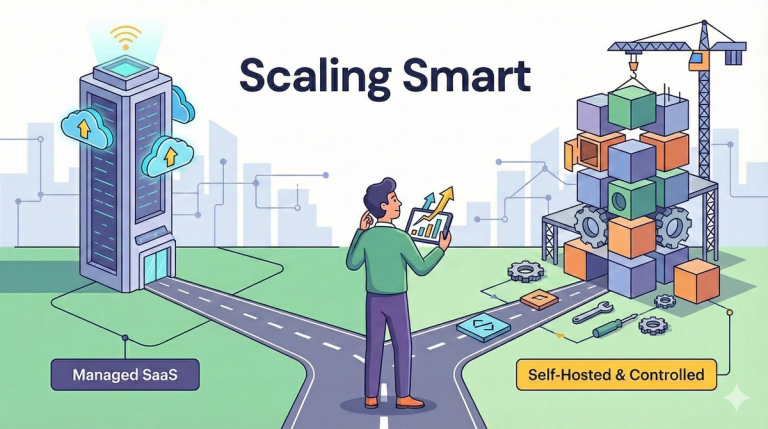
Headless CMS for startups: how to scale without enterprise pricing surprises
In this article, we compare the two most common approaches to building headless CMSs for startups: managed SaaS platforms (with enterprise plans) and self-hosted architectures with controlled costs. The goal is to help you choose a stack that scales with your business, provides content flexibility, and avoids pricing surprises. I'll also show that migration done by professionals isn't so scary if you're already overpaying.

Vercel as a hosting platform: When It's the best choice and when to look elsewhere
In this article, we explore the strengths and weaknesses of Vercel as a hosting platform. The goal is to help you decide when Vercel is the right solution for your project and when you might need an alternative.
Standalone Next.js Deployment – When Serverless Is Not an Option
Learn how to run and deploy Next.js in standalone mode when serverless hosting is not an option. Understand when and why to use standalone builds, how to configure them, and their benefits for custom infrastructure.
Next.js CMS – Top Headless CMS Choices for 2026
Explore the best CMS platforms for Next.js in 2025. Compare Sanity, Storyblok, Contentful, and Payload to find the right headless CMS for your modern React and Next.js projects.