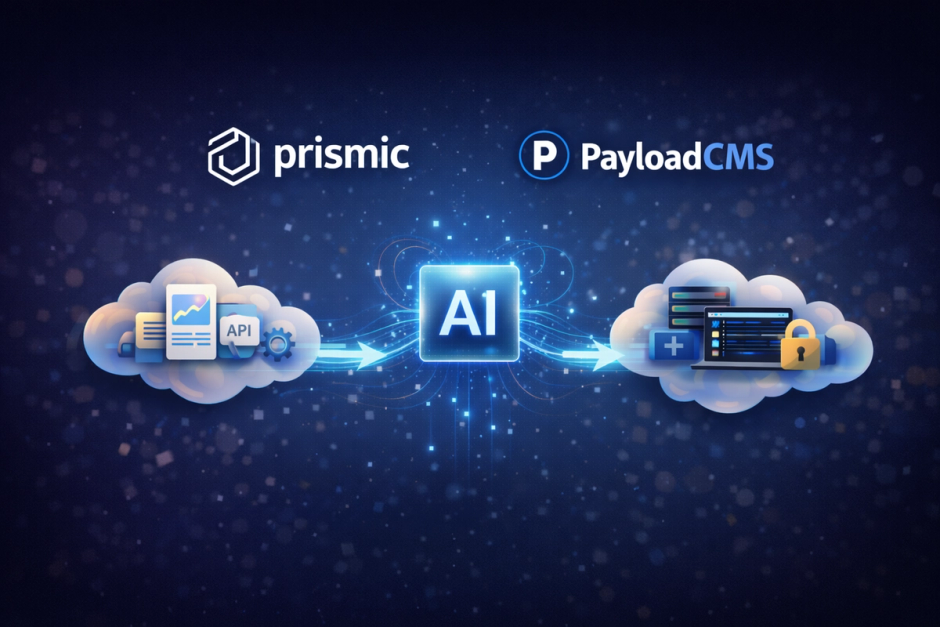
How We Use AI to Migrate Any CMS — A Prismic to Payload Walkthrough

TL;DR
One command. Full migration. Export content from Prismic, auto-generate Payload collections, transform data, seed the database — no manual steps.
AI handled every stage. Export scripts, schema generation, data transformation, dependency-ordered seeding — Claude wrote the implementation for all of it. Our job was knowing exactly what to ask for and rigorously reviewing every line of output.
Zero TypeScript written by hand. Prismic custom types became fully typed Payload collections and auto-generated block definitions — all produced by the pipeline, all written by AI under our direction.
The pipeline is reusable. Point it at any Prismic repository, run one command, get a working Payload instance. This is how we approach CMS migrations at FocusReactive — not as one-off projects, but as engineering problems with repeatable AI-assisted solutions.
Why Teams Leave Prismic
The conversation usually starts with a billing email.
Prismic's pricing held steady for seven years. Then in January 2024 it changed — and the jumps were sharp. The current tiers look like this:
| Plan | Price/month | Key limits |
|---|---|---|
| Free | $0 | 1 user, basic features |
| Starter | $10 | Limited users |
| Small | $25 | Limited users |
| Medium | $150 | Up to 8 locales |
| Platinum | $675 | More locales, more users |
| Enterprise | Custom | — |
The numbers themselves aren't the whole story. The jump from Medium to Platinum — from $150 to $675 per month — happens the moment you need more than 8 languages. Users on Reddit have described it as moving from "unlimited locales" to "8 locales for $675/month," with some reporting 100–2000% increases when migrating between plan tiers. The median annual spend, according to procurement data, is around $1,800/year — but that's skewed by smaller teams. Enterprise customers pay significantly more.
Payload CMS, by contrast, is MIT licensed and self-hosted. The software is free. You pay for infrastructure — a Postgres database and a server — which for most projects runs well under $50/month. The total cost of ownership is fundamentally different.
For the client behind this migration, the math was straightforward. They were approaching the Platinum tier ceiling and facing a significant price jump with no corresponding increase in value for their use case. Moving to Payload wasn't just a technical preference — it was the financially obvious call.
The Real Problem With CMS Migrations
The cost case was clear. The execution was the hard part.
Most CMS migrations fail not on the content itself, but on everything around it. The typical process: export a JSON dump, write collection definitions by hand in the new CMS, transform the data (because every CMS has its own opinion about rich text, images, and relationships), import it, find that half the relationships broke, fix those, discover media didn't migrate correctly, fix that too. Weeks pass.
When this client brought us their production Prismic site, we decided not to follow that pattern. Instead of building a migration plan, we built migration software.
The difference matters. A plan is executed once and abandoned. Software can be run, inspected, debugged, and re-run. It accumulates correctness with each iteration instead of accumulating technical debt.
What We Were Working With
The Prismic repository had 30+ custom type definitions: pages with complex slice zones, configuration documents, navigation elements, and a slice zone system with dozens of inline block variants. All types had actual published content — 1417 documents in total.
The content model was real-world messy. Fields with Prismic-reserved names that collide with Payload's internals. Select options partially defined in the schema and partially discoverable only from actual document data. Internal document links using Prismic's string UID system that needed to become Payload's numeric IDs. Rich text stored as span-annotated flat arrays in Prismic that needed to become deeply nested Lexical trees in Payload.
None of this was exceptional. It was the kind of complexity that lives in any production CMS running for years. The question was how to handle it systematically, not case by case.
The Pipeline: Four Stages, One Command
pnpm migrate
This runs Export → Generate → Transform → Seed in sequence. Each stage is independently runnable and idempotent. To start completely fresh:
pnpm migrate:clean
Wipes the database, generated schemas, and exported data. Runs the full pipeline again. We ran this dozens of times during development.
Stage 1: Export
Pull everything out of Prismic and save it locally. You need two tokens from Settings → API & Security in your Prismic dashboard:
- Content API token (
PRISMIC_ACCESS_TOKEN) — queries published documents via@prismicio/client. Public repositories may not need this at all. - Custom Types API token (
PRISMIC_CUSTOM_TYPES_TOKEN) — fetches schema definitions fromcustomtypes.prismic.io. Without it, you can still infer schemas from document data (more on that below).
These tokens are not interchangeable — using one for the other's API gives you a 403.
pnpm export:prismic
Claude wrote the export script from our specification: "fetch all custom type schemas, then bulk-fetch every published document, save both as structured JSON." We reviewed the API usage, error handling, and file structure — the implementation was right on the first pass.
The script does two things in order. First, if PRISMIC_CUSTOM_TYPES_TOKEN is set, it fetches all custom type schemas and shared slices from customtypes.prismic.io:
const typesRes = await fetch("https://customtypes.prismic.io/customtypes", {
  headers: {
    Authorization: `Bearer ${CUSTOM_TYPES_TOKEN}`,
    repository: REPO_NAME,
  },
});
const types = await typesRes.json();
// → saves export/custom-types/<type-id>.json for each type
Second, it bulk-fetches every published document using @prismicio/client:
const client = prismic.createClient(REPO_NAME);
const allDocuments = await client.dangerouslyGetAll();
// → saves export/all-documents.json and export/<type>-documents.json
dangerouslyGetAll() earns its name — it requests pages of 100 documents with a 500ms throttle between each call, holding the full result set in memory until complete. For a 3,500-document repository that's roughly 20 seconds. For a 10,000-document repository, expect 50+ seconds of throttle delay alone. It's a migration tool, not a production query method.
After this stage, the pipeline never calls the Prismic API again. Everything downstream reads from local JSON files — fast, deterministic, works offline.
Stage 2: Generate Payload Schemas — Where AI Did Its Best Work
This is the stage that surprised us most. We described the problem to Claude: "Take a Prismic custom type schema, produce a valid Payload collection definition. Handle naming conventions, field type mapping, reserved name collisions, and block generation." Then we reviewed the output against real schemas. The question was: how do you turn a Prismic custom type schema into a Payload collection definition automatically?
The field type mapping is deterministic in principle:
| Prismic | Payload | Notes |
|---|---|---|
UID | text (slug) | required: true, unique: true |
StructuredText single | text | Plain text extracted from heading node |
StructuredText multi | richText | Full Lexical editor |
Image | upload | relationTo: 'media' |
Group | array | Sub-fields recursively converted |
Slices | blocks | Each slice becomes a Payload Block |
Select | select | Options from schema + actual document values |
Link (document) | relationship | Resolved to Payload numeric ID at seed time |
But the edge cases are where it gets interesting. Payload reserves certain field names — id, blockType, blockName — for internal use. Several Prismic slices used those names directly. The generator detects collisions and renames consistently across every generated file: id → sectionId, blockType → blockKind, blockName → blockLabel.
Naming conventions were another layer. Prismic type IDs are snake_case. Payload expects collection slugs in kebab-case, TypeScript exports in PascalCase, and field names in camelCase. A Prismic slice named text_block needs to become the slug textBlockBlock, the TypeScript export TextBlockBlock, and a valid blockType value, all consistently, across every generated file.
// Naming handled automatically:
// Type "content_page"    → slug "content-pages", export "ContentPages"
// Slice "feature_block"  → slug "featureBlockBlock", export "FeatureBlockBlock"
// Field "meta_title"     → camelCase "metaTitle", strip prefix → "title"
The output is real TypeScript — not stubs, not templates. Working Payload collection definitions with correct field types, admin.useAsTitle configuration, relationship fields pointing to the right collections, and select options populated from actual data. After generation, pnpm dev gives you a working admin panel.
30+ collections. 23 blocks. 0 TypeScript written by hand.
Stage 3: Transform — The Two Hard Problems
Most field types transform trivially. Text is text. Numbers are numbers. Two areas required real algorithmic depth.
Prismic StructuredText → Payload Lexical Rich Text
Prismic stores rich text as flat arrays of span-annotated paragraph nodes:
[
  {
    "type": "paragraph",
    "text": "Here is some bold text and a link.",
    "spans": [
      { "type": "strong", "start": 10, "end": 19 },
      { "type": "hyperlink", "start": 26, "end": 34, "data": { "url": "https://..." } }
    ]
  }
]
Payload's Lexical editor uses a nested tree where each text node carries a bitmask of format flags:
{
  "root": {
    "children": [{
      "type": "paragraph",
      "children": [
        { "type": "text", "text": "Here is some " },
        { "type": "text", "text": "bold text", "format": 1 },
        { "type": "text", "text": " and a " },
        {
          "type": "link",
          "url": "https://...",
          "children": [{ "type": "text", "text": "link" }]
        }
      ]
    }]
  }
}
The conversion walks span annotations in order, splits paragraphs into segments, and applies format flags to each text node. Overlapping spans — bold text inside a link — require handling multiple simultaneous annotations without duplicating or dropping content. Getting this right across all possible combinations is the kind of meticulous recursive problem that takes days to get right manually. We described the input and output formats, specified the edge cases we knew about — overlapping spans, nested links, empty paragraphs — and Claude produced a working converter. We then ran it against every document in the export, caught the remaining edge cases, fed those back, and had a fully correct implementation within hours.
Document link resolution
Prismic uses string UIDs. Payload uses auto-incremented numeric IDs. At transform time, the numeric IDs don't exist yet — they're created during seeding. So the transformer emits placeholder markers instead of resolving links:
{ "_prismicRef": "XyZ123abc" }
During seeding, each document's Prismic ID gets mapped to its new Payload numeric ID. When a subsequent document references a _prismicRef, the seeder resolves it before inserting. This is why seeding order matters.
Stage 4: Seed — Topological Sorting
The collections weren't independent. Configurations referenced navigation elements. Content pages referenced both. Seed in the wrong order and relationship fields point to IDs that don't exist yet — the entire import fails.
We told Claude: "Documents have relationship fields. If you seed in the wrong order, references break. Build a dependency graph from the schemas and seed in topological order." Claude built the dependency graph from the generated collection schemas at runtime, inspecting relationship fields and their relationTo values, then performing a topological sort before anything is inserted:
Navigation ────────────────────┐
                               ▼
Config elements ─────────────► Content pages ────► App configs
# Dependency order resolved automatically at runtime:
# navigation → config-elements → content-pages → app-configs

Seeded 54   navigation entries
Seeded 213  config elements
Seeded 879  content pages
Seeded 271  app configs

Verification: 1417/1417 documents imported, 0 errors
Media ran alongside document seeding. Each image was downloaded from Prismic CDN, uploaded to Payload's media collection, and its field reference replaced with the returned Payload media ID. The underlying storage adapter stayed the same — only the management layer changed.
The Result
1417 / 1417 documents verified
30+ collections generated from custom type definitions
23 block types generated from slice definitions
0 documents lost, 0 manual steps
All 30+ Prismic custom types had published content and were migrated. The pipeline generated collections for every type automatically — no manual schema work, no cherry-picking.
Where AI Actually Helped — Everywhere
Honest answer: Claude wrote all of it. Every stage. Export scripts, schema generators, data transformers, the seeder, the dependency resolver, the rich text converter. All AI-generated code.
But "AI wrote it" is only half the story. The other half is knowing what to tell it and how to evaluate what it gives back.
We brought deep knowledge of both CMS data models — Prismic's StructuredText format, its span-based annotation system, its slice zone architecture, and Payload's Lexical editor internals, its collection schema structure, its relationship resolution. Without that knowledge, you can't write a prompt that produces working code. You can't look at the output and know whether the rich text converter handles overlapping spans correctly. You can't catch that a field name collision will silently break the admin panel.
Our workflow was: specify → generate → review → test → refine.
- Specify — We described each stage in precise technical terms. Not "convert rich text" but "convert Prismic StructuredText span arrays to Lexical nested trees, handling overlapping bold-inside-link spans with correct bitmask format flags."
- Generate — Claude produced the implementation.
- Review — We read every function, checked edge cases, verified the logic matched our understanding of both systems.
- Test — Run against all 1417 real documents. Not sample data — production content.
- Refine — Feed failures back, describe what went wrong and why, get a corrected version.
The CLAUDE.md file in the repository is a context document written specifically for Claude — capturing the full system architecture so that every session starts with complete understanding of the codebase. Not documentation for humans. A working AI context file that made each iteration faster.
The result: a pipeline that would normally take weeks of careful manual engineering was built, tested against production data, and verified — in a fraction of the time. Not because AI replaced our expertise, but because it let us apply that expertise at the speed of specification rather than the speed of implementation.
Why This Matters for Your Migration
The pattern we used here isn't specific to Prismic and Payload. It's an approach.
Don't build a migration checklist. Build migration software.
A checklist is executed once. Software compounds — each run is faster and more correct than the last. When a client brings us a migration, we're not starting from scratch. We're extending and adapting tooling that's already been battle-tested against production data.
AI made it viable to build that tooling in a realistic project timeline. Not because it replaced engineering judgment — it amplified it. You still need deep knowledge of both CMS data models, how the target editor format works internally, why seeding order matters. That knowledge is what lets you write the right prompts and catch the wrong outputs. AI removes the hours of implementation between "I know exactly what this needs to do" and "this works correctly against production data."
That gap is where migrations slow down. Our edge isn't that we use AI — everyone can. It's that we know what to tell it, and we know how to verify what it gives back.
FocusReactive helps teams move to modern headless CMS stacks — with the engineering rigor to make migrations reliable, repeatable, and low-risk. If you're looking at a move from Prismic, Contentful, or any managed CMS to Payload or Sanity, let's talk.
More posts on related topics

Contentful CMS Overview: Headless Architecture, API-First Content Management
Dive into the Contentful CMS overview to see how it simplifies content management across multiple platforms, making it ideal for developers and content creators building scalable, API‑first digital experiences.
How to Choose a Headless CMS in 2026: A Straight-Talk Guide
Not sure how to choose a CMS? Compare Contentful, Sanity, Storyblok, Payload, and more — with clear defaults for enterprise, marketing, and content operations teams.

Payload CMS: Scalable Headless CMS for Developers
Discover how Payload CMS combines the power of headless content management with developer-focused features for project flexibility and control.
Best Headless CMS for React and Next.js in 2026 (G2 Ratings)
Discover the best Next.js headless eCommerce platforms in 2026. Compare Shopify Hydrogen, Saleor, Medusa, and Commerce Layer built for React CMS-powered online stores.
Are Headless CMS Being Replaced by AI Agents?
Discover how AI-powered headless CMS platforms use agentic workflows to automate, optimize, and evolve your content in 2026. Compare Sanity, Payload & Storyblok CMS, their workflows and which architecture works best for which team.
Sanity CMS Explained: Features, Use Cases & Why Teams Choose It
Discover why headless CMS Sanity is the go-to choice for agencies and development teams who need flexible content structures and multi-channel delivery.