Today’s eCommerce landscape is edgeless, new brands emerging here and there in the blink of an eye. In such a market the competition is enormous, allowing customers to skim through and pick which company is worthy of their attention. This new model dictates the necessity for brands to create such an online experience that will bring clients in. Smooth digital journey ensures that any point of friction is eliminated, giving your customer no choice to get distracted and leave the site.
This is where providing engaging and easy-to-find content sits as one of the solutions. In 2026, one way to create a content-led online store (and the most popular one) is Headless commerce.
What is Headless commerce?
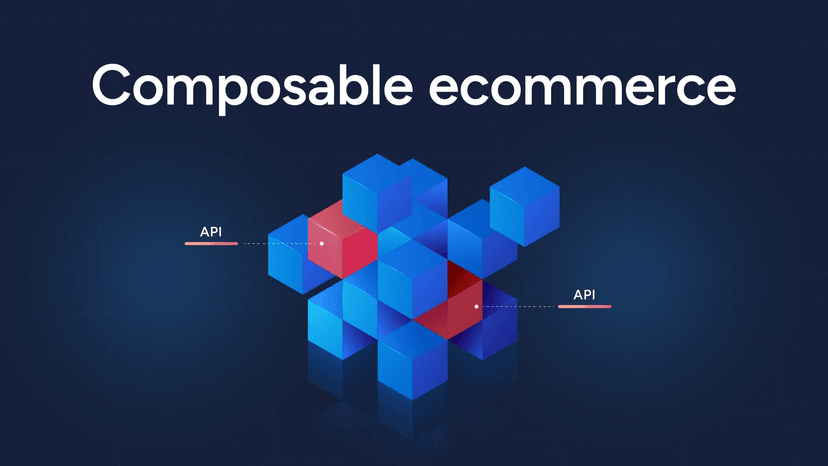
Headless commerce is the decoupling of the front-end presentation layer from the back-end eCommerce solution. Such a situation implies that tech-engineers can leverage their preferred frontend technology to deliver high-quality content experiences, and just connect an eCommerce solution on the backend that manages all commerce functionality. The fact that the back end and front end do not need to rely so heavily on each other, allows developers to customize the website a lot more easily.
How does it work?
It’s all about passing requests between the presentation and application layers through web services or API calls. When your customer clicks a ‘Buy’ button, the presentation layer sends an API call to the application layer to process the order. The application layer sends another API call to the application layer to show the customer the status of their order.
What are the pros of Headless eCommerce?
- The content is published through Headless CMS and becomes available for any app through API. Such a structure provides developers with more room for creativity, while the owners can manage content, update the design, widen the functionality, etc.
- The presentation layer is only focusing on delivering content, which helps to improve performance and speed.
- Developers can easily change the front end with no regard to any backend logic whatsoever, allowing to update the content much, and I mean, MUCH faster.
- The headless architecture is not only beneficial from the usability standpoint but is, in fact, more secure than the traditional one. This is explained by the fact that only the front-end part is accessible publicly, the back-end stands apart. If any Headless CMS is used as a presentation layer, it can also be so architecturally hidden, that the client in a client-server app cannot request it directly, making the external attack impossible.
- With a headless commerce solution, you can easily make your brand accessible from any new device, expanding your outreach to more customers, building a network of new audiences, and exploring new opportunities. Also, it won’t take you months to integrate your commerce platform to a new device, just hours.
- Headless solutions are an effective way to reduce customer acquisition costs drastically, allowing your brand to take on content- or experience-led strategy to draw in organic traffic instead of relying on paid advertising. Not to mention, that smooth customer experiences help increase the conversion rates for your online business.
- Developers do not need to have any specific knowledge or education to work with a particular Headless CMS. This provides more hiring opportunities for any company.
- As opposed to traditional architecture, a headless one implies that a client-server app is not tied to a custom CMS code. This allows migrating from one Headless CMS, if needed, to another one with minimal downtime.
What are the cons of Headless eCommerce?
Headless commerce gives you more flexibility, but it also comes with trade-offs. Because you need to build and maintain a separate frontend, development costs and ongoing maintenance can be higher. Some features that come built into traditional ecommerce platforms, such as visual page building, content previews, and merchandising tools, may require additional development or third-party integrations.
Marketers may also lose the ability to create, preview, approve, and publish content independently, depending on how the frontend and CMS are set up. On top of that, maintaining separate systems and codebases can add complexity to everyday development. If you’re considering Shopify Hydrogen, it’s worth taking the time to compare Shopify Hydrogen development companies and find a team that can balance the benefits of headless commerce with the cost and complexity of building it.
The headless solution is for you if
You create:
- Single-Page Applications, React, Angular, Ember or Vue;
- Dynamic Applications, JavaScript, HTML and CSS;
- Mobile Applications, Android, iOS, React Native, Flutter, NativeScript;
- Applications for IoT;
- Static websites on the base of Jekyll, Hexo, Hugo and NextJS;
- You are a content-driven brand.
- You are determined to create a smooth and hitch-less digital experience across multiple devices.
- You have multi-site or international selling needs, serving up multiple front-end experiences powered by the same backend.
- You already use a CMS you’ve invested in and want to add commerce.
Here are a few examples of how your headless business could look
Koala
Koala
Duxiana
Duxiana
Impossible
Impossible Foods
Canvas 1839
Canvas 1839
Ready to Build or Migrate to Headless Commerce?
Whether you’re launching a new online store or migrating an existing one, FocusReactive helps businesses build scalable headless commerce solutions tailored to their needs. Our team specializes in Shopify Hydrogen, Crystallize, and Swell, combining platform expertise with flexible architecture and modern frontend development.
Get in touch with our team to discuss your project and find the right approach to headless commerce.
.jpg&w=64&q=90)