How to Automate Headless CMS Localization with AI

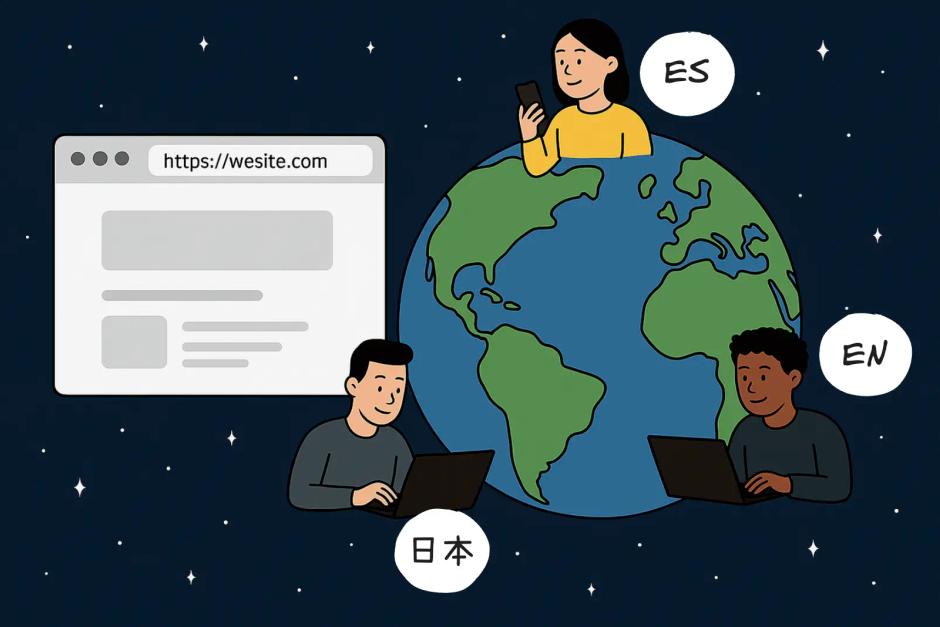
Why localized website is important on global market?
Imagine launching a product globally, only to realize that more than half of potential customers won't even consider buying from your website—simply because it's not in their native language. About 55% of consumers on the internet will NOT buy in a foreign language. That's the reality businesses face today when entering a new market without a proper headless CMS localization. While companies with one language for each target market experience more than 20% boost in conversion rate.
These numbers show how important a good content localization strategy is and how much of a direct impact localization has on the company's success. Creating content in different languages used to be a tedious and expensive thing to do in the past. But there's good news: AI-driven localization is changing the game, making content translation faster, more affordable, and—most importantly—accurate. Let's explore why AI is the best choice for content localization.
TL;DR
 content localization options comparison table
Traditional content localization strategy
In a nutshell, localization is adapting content to international audiences and local markets. Content includes user interface, URLs, language structure, SEO(search engine optimization), content marketing strategy and tailoring your content to the global market.
When you want to start localizing your content, it's important to understand all the options before making that decision. The wrong one will "lock" you and will cost money, while a good translation tool will make you really flexible and support your localization efforts.
Human translation
Human translation is an old good way to translate content. It makes sense when deep cultural and linguistic knowledge is required. Especially when content isn't something widely known and touches on complex topics.
In most cases, for a company that offers a product or service, human translation is not the most optimal way. If there are thousands and hundreds of thousands of pages, a translator won't be able to do that in a reasonable time. It's simply not scalable for large localization projects.
Plugins and translate scripts
Most content management systems have localization plugins or scripts to translate different types of content. This approach is cheaper and faster. It can secure you quick wins and save resources. The biggest disadvantage though is inconsistent quality and lack of context. This is not the best choice if you need to translate content frequently and require constant high-quality results.
In addition to that, each project has different requirements. Plugins and scripts your software provides might not give you the ability to customize it or provide style guide. Keep in mind that all customizations will require planning, requirements, and development time, which can slow down your content localization process.
Third-party tools and Machine translation
The next group is third-party tools focused on translations. Content localization strategy that involves such software is often called "machine translation". This type of software could be as fully automated as involving human in the loop. Examples would be Lokalise, DeepL, Amazon Translate, etc.
These localization services are integrated with the code and provide great flexibility. This means you will be able to build a content localization strategy you want, optimizing every part of the localization process. You can build both fully automated content localization as well as automated localization with a human in the loop. Translation quality is often near-human. They are also fast, scalable, and cost-efficient.
They have disadvantages though. Some services might not be good in a particular domain. If you have sensitive content—using third-party translation services might not be the best option either.
Integrating and developing such fundamental localized content is not a trivial task, especially if integrating in an existing large codebase. It heavily depends on your tech stack and the integration capabilities of the localization software you choose.
On the other hand, this functionality should be developed only once, decoupling content localization logic from the business logic once and for all.
Creating localized content with AI
And the most effective way to translate the content now is AI. AI localization isn't new, but the latest models and tools have truly unlocked new possibilities and enabled us to build a highly robust localization solution.
The best thing about AI in translations is that it can be plugged anywhere. It can be integrated with any software or tool that supports localization. For example, Storyblok CMS, Payload CMS, Contentful, Sanity, or other existing content services.
The major advantage of AI translations is that it's context aware. When making a translation, we can tell AI different information: about product or service, marketing content, details about foreign markets and so on. This will enhance quality, ensure precise semantic translation of each word, and make the content truly connect with your target audience. The quality and accuracy of translations done this way is human level.
It's really fast and cheap. Over the last year, costs of AI dropped significantly. Also, smaller and cheaper models become much better, which allows switching to a more cost-effective model without changing any logic.
When security is a concern and content you want to translate has information you don't want to share, AI can be self-hosted. Self-hosted models can be run on cloud or local computers, which gives you control over it.
AI website localization can be implemented in different ways. Same as third-party services, it can be fully automatic, but allows human in the loop as well.
All that combined gives a solid foundation to solve any localization problem client might have.
 Our case study example - Firsty
Firsty: AI content localization strategy in Action
One of our clients, innovative e-sim provider Firsty, had a challenge - launch a new multilingual website. It was based on Storyblok CMS and had hundreds of pages. They needed to translate all content to 6 languages for multiple international markets. We immediately thought what AI can do for us this time.
Our goal was not only to translate the content on existing pages, but create all the pages for each new language as well. Duplicating the entire page structure in each case. It helped us reduce time spent on creating pages, which is a tedious process.
The first step was to add the AI Toolkit to the client's Storyblok CMS project. This is our in-house developed tool that provides AI-powered CMS localization functionality.
When tests on a couple of pages were successful, we kicked off and started to process all the existing pages on the website. It took more than a few hours to translate all 300 pages in all 5 languages, around 1500 pages total. The result was fantastic and our client was really happy and positive about it.
Soon after that they went live and now serve customers all over the globe.
Check it yourself - firsty.app
Provided CMS localization setup saved Firsty weeks of manual work and allowed them to go to market much faster—with zero compromise on quality.
More benefits of AI-powered localization process
Even though AI localization is really flexible and can be integrated into a large number of projects, it has its sweet spot. And the sweet spot is—headless CMS localization.
Headless CMS, due to the nature of its architecture, allows pretty much any type of integration and personalization on your website. It provides an API to manage your pages, components, and other resources you might want to localize on your website.
Best practices of cutting costs
Even though AI content localization is already extremely cheap, we can take it to the next level. Good practice is to analyze translations from multiple models, considering speed, costs, and quality. Some models could take hours while others will translate all the content for half or even a third of this time.
Robust and fail-proof workflow
AI translation is integrated via API, providing guardrails and tools to fix or redo translation if something went wrong. When processing a lot of pages sometimes API errors happen. For example, AI model or headless CMS API error. Another common problem is running out of money, which requires topping up the account. In our AI-toolkit, we handle this case and save temporary results.
Monitoring and analysis
Such AI systems are easily integrated into common workflows: email, Slack, Teams, etc. Having notifications and up-to-date information about the progress helps teams move fast. These notifications can trigger other automation workflows as well.
Conclusion
Website content localization is really important for modern consumers. People are more willing to spend money when they can engage with the content in their native language. If the company wants to succeed globally, they need to have a localization strategy.
There are different types of strategies and ways to translate your content, all of them have advantages and disadvantages. The solution should be tailored to your specific needs.
In our opinion, the best way to do website content localization and especially headless CMS localization is to use cutting-edge AI tools. This is the most effective and cheap option, suitable for the majority of use cases. Our customers' experience proves that.
We're a specialist Headless CMS Localization agency helping teams transition to modern content platforms with clean architecture, scalability, and editorial control. If you're planning a replatform or building from scratch, reach out to us — or book an intro call with our team.
More posts on related topics
Best Headless CMS for Shopify: Sanity & Storyblok for Headless Commerce
Find the best headless CMS for Shopify. Discover why Sanity and Storyblok lead the pack with superior Shopify integrations, scalable architecture, and marketing workflows designed to help e-commerce teams move faster.

Payload CMS overview
Discover how Payload CMS combines the power of headless content management with developer-focused features for project flexibility and control.

5 Red Flags Your Headless CMS Needs a Rebuild
A CMS was never created “just because.” It exists to solve real problems: editorial independence, structured content, multi-channel delivery, and efficient operations. The large variety of CMS platforms on the market proves exactly that — different choices for different needs. [The large variety of CMS platforms on the market proves exactly that — different choices for different needs.](https://focusreactive.com/choosing-a-headless-cms/) Different as they are, almost all of them can suffer the _same_ architectural and operational issues. The worst part is these problems don’t appear immediately. They emerge over time, quietly compounding. Teams adapt. Workarounds become habits. Friction becomes “just how it works.” This article helps you identify those issues before they start slowing your product and team down.
Headless CMS Architecture Guide for Multisite and Modern Frontends
Learn how headless CMS architecture works for multisite content management systems and modern frontends. Patterns, components, and scalability explained
Best Sanity and Storyblok CMS alternatives
Looking for Sanity or Storyblok alternatives? We compare top options with real data and trade-offs. See which headless CMS matches your needs and sets you up for growth.
A founder's guide to Webflow vs. Storyblok
Choosing between Webflow and Storyblok? This guide uncovers the hidden costs, migration traps, and long-term trade-offs to help you decide between Webflow's speed and Storyblok's power to scale.