.jpg&w=320&q=90)

TL;DR
- This guide is a list of best web development practices for product owners, engineering leaders, and decision-makers evaluating architecture and development teams;
- The rendering strategy you choose, whether it’s client-side React or server-rendered Next.js, has a major impact on SEO and Core Web Vitals;
- Accessibility and security are cost-effective when they’re built into the product from the start. Retrofitting them later is a way more disruptive and more expensive;
- A true design system goes beyond a Figma library. It includes design tokens, reusable component contracts, and CI-enforced linting that keep design and development aligned as your product grows;
Web development best practices in 2026 include choosing the right rendering strategy, optimizing for Core Web Vitals, building accessibility and security into the stack, enforcing code quality in CI, designing CMS and API architecture around real workflows, and preparing content for both search engines and AI answer engines.
Why the standard “top 10 best practices” list isn’t enough anymore
Search “web development best practices” today, and you’ll find a fairly consistent list across most results: responsive design, mobile optimization, performance, SEO-friendly markup, accessibility, cross-browser testing, security, code quality, monitoring, and QA. That list isn’t wrong, and it’s nearly identical to what you would have probably read in 2019.
The problem is that the substance underneath each of those headings has changed enormously as web development trends have shifted, and most content hasn’t kept up. “Make your site responsive” used to mean media queries and a mobile viewport tag. Today it means container queries, variable fonts, and layouts that hold up under real Core Web Vitals field data across a fragmented device landscape. “Optimize performance” used to mean minification and a CDN. Today it means understanding why your React app’s INP fails even though your Lighthouse score looks fine in the lab.
This guide starts with the basics web development process, and then explains the ideas of clean code, localization, hosting, API design, documentation, security and sustainability, etc., each of which deserves its own space instead of a bullet buried inside a broader section; and, at the end, what to actually look for in a web development partner if you’re hiring the work out rather than doing it yourself.
Each one is treated as an engineering decision with tradeoffs, not a box to tick. We’ll get specific about how these decisions play out in a React and Next.js codebase, our Next.js consultancy span composable-CMS, ecommerce, and enterprise migrations.
What is website development process?
Website development is the process of turning a content and business strategy into a working, maintainable platform, covering architecture decisions, content modeling, front-end build, integrations, testing, launch, and ongoing support.
For a business evaluating a new platform, replatforming off a legacy CMS, or migrating content into a new system, the process splits into two connected layers.
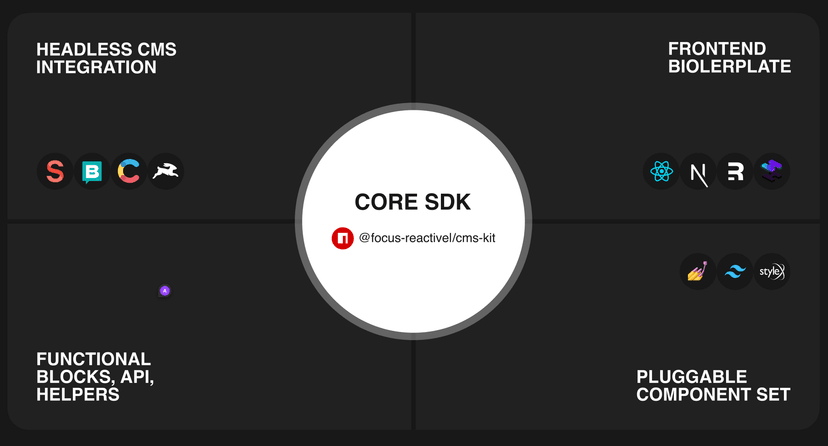
The front end is what visitors and content teams interact with: page templates, navigation, forms, image handling, and the framework rendering it all (Next.js, for example, when speed and SEO control matter). The back end is the CMS and infrastructure behind it: content modeling, the database, the APIs connecting content to the front end, user roles, hosting, and security.
For teams migrating off WordPress, Drupal, or another legacy system — or replatforming onto a headless CMS like Sanity, Storyblok, Contentful, or Payload — this split matters more than it does for a simple marketing site. It’s what lets a content team publish independently of a developer, lets multiple front ends pull from the same content source, and keeps the site fast enough to hold up under Core Web Vitals and search visibility requirements.
Done properly, website development isn’t a one-time build. It’s infrastructure a business can keep extending — new page types, new integrations (CRM, personalization, analytics), new front ends, without a rebuild every time content or business needs change.
16 Best Practices for Human Developers
Human developers remain essential for making architectural decisions, balancing technical trade-offs, ensuring code quality, and applying domain expertise and business context that automated tools cannot reliably replicate. Here are the list of the best web development practices worth following to build a solid website:
1. Performance and Core Web Vitals
Web performance optimization in 2026 comes down to three field metrics Google uses to approximate real user experience: Largest Contentful Paint (LCP) for loading speed, Interaction to Next Paint (INP) for responsiveness, and Cumulative Layout Shift (CLS) for visual stability. Google evaluates all three at the 75th percentile of real Chrome users, via the Chrome UX Report (CrUX), not synthetic lab tests.
The generally accepted “good” thresholds going into 2026 are LCP under 2.5 seconds, INP under 200 milliseconds, and CLS under 0.1. (A layer of SEO commentary in 2026 has claimed Google tightened the “good” LCP bar to 2.0 seconds as part of a March 2026 update. As of this writing, Google’s own page-experience documentation still lists 2.5 seconds, and the March 2026 core update wasn’t labeled as a page-experience change on Google’s own status dashboard; treat the 2.0-second figure as an unconfirmed claim circulating in the SEO commentary layer rather than a documented threshold, and re-verify before repeating it to a client. The direction, stricter enforcement and less tolerance for slow pages, is worth taking seriously regardless of the exact number.)
Why INP is the one catching teams off guard. FID, the metric INP replaced in March 2024, only measured the delay before a browser started processing a page’s very first interaction. A page could ace FID while still freezing on the fifth click. INP measures every interaction across the full session and reports the worst one, which makes it a much harder, much more honest test of whether an app actually feels fast to use. Field data circulating in 2026 puts INP as the single most commonly failed Core Web Vital across the web; meaningfully more sites fail it than fail LCP or CLS.
What actually fixes INP (and it isn’t image compression):
- Break up long JavaScript tasks. Anything blocking the main thread for more than 50ms delays every pending interaction behind it. Chunk expensive work with
scheduler.yield()orrequestIdleCallback, and audit for synchronous work that could run in a Web Worker instead. - Code-split aggressively and load on demand. Route-based and component-based splitting (trivial in Next.js via dynamic imports) keeps the JavaScript the browser has to parse and execute on first interaction as small as possible.
- Audit third-party scripts ruthlessly. Analytics tags, chat widgets, and marketing pixels are consistently the biggest INP killers because they compete with your event handlers for main-thread time. Every third-party script should justify its presence against a measured cost.
- Prefer React Server Components and streaming SSR where your framework supports them. Shipping less client-side JavaScript in the first place is a more durable fix than optimizing JavaScript you didn’t need to ship.
What still matters for LCP and CLS:
- Preload the LCP resource (usually a hero image or font) explicitly, rather than letting the browser discover it late in the request waterfall.
- Use
font-display: swapand preload critical fonts to avoid invisible-text flashes that also contribute to CLS. - Give every image, video, and embed explicit width/height (or aspect-ratio) so the browser can reserve space before content arrives.
- Reserve space for injected content (ads, cookie banners, personalization blocks) rather than letting it push the page down after paint.
The business case for taking this seriously isn’t theoretical. Multiple 2026 field studies have tied sub-2.5s LCP and passing Core Web Vitals to materially lower bounce rates and measurably better conversion; this is a revenue conversation now, not just an SEO one. We saw this directly on an EasyPark/Arrive rebuild, where a Next.js migration combined with disciplined performance work took the site to a 97 Lighthouse score alongside a 38% increase in organic traffic. The performance and the ranking gain moved together, not separately.
2. Architecture decisions: rendering strategy is a business decision wearing an engineering costume
This is the section most “best practices” articles skip entirely, and it’s arguably the highest-leverage decision on this whole list. Before you argue about linting rules, decide how your pages get rendered, because that choice constrains almost everything downstream: SEO, performance ceiling, hosting cost, content-team workflow, and how expensive the app is to maintain in three years. It matters just as much for web application development best practices as it does for a five-page marketing site, arguably more, since an app’s rendering choices touch auth, personalization, and state in ways a static page never has to.
The real options, and when each one is right:
Client-side rendering (CSR), a pure React SPA. Fast to build, cheap to host, poor default SEO (content isn’t in the initial HTML unless you do extra work), and a harder path to a good LCP because the browser has to download and execute JavaScript before it can paint meaningful content. Right for authenticated internal tools and dashboards where search visibility doesn’t matter.
Static site generation (SSG), pages built at deploy time. Excellent performance and SEO, but content changes require a rebuild (or on-demand revalidation). Right for marketing sites and documentation with infrequent content changes.
Server-side rendering (SSR), pages rendered per request. Strong SEO and a fast first paint, at the cost of server compute per request. Right for personalized or frequently-changing content that still needs to be crawlable and fast.
Incremental Static Regeneration (ISR) and streaming SSR, Next.js’s answer to “I want SSG’s performance without SSG’s staleness.” Pages are statically served but revalidate on a schedule or on demand, and React Server Components let you stream in slower parts of a page without blocking the fast parts. For most content-driven marketing and ecommerce sites in 2026, this is the sweet spot: it gets you SSG-grade Core Web Vitals with SSR-grade content freshness.
Why this is a “reactjs web development services” conversation, not just a framework debate. React itself is a rendering library; it doesn’t make the rendering-strategy decision for you. That decision comes from how you structure a Next.js (or Remix, or Astro-with-React-islands) application on top of it: what’s a server component versus a client component, what’s statically generated versus revalidated, what’s cached at the edge. Teams that treat “we’re building in React” as the whole architecture conversation consistently end up with SPA-style CSR by default, then spend the next year fighting SEO and LCP problems that were architected in on day one. This is precisely why rendering-strategy decisions belong early in a project, made explicitly, with the content team, SEO stakeholder, and engineering lead in the same conversation, not defaulted into by whichever starter template the team happened to scaffold from.
Headless and composable architecture makes this more consequential, not less. When your content lives in Sanity, Storyblok, Contentful, or Payload rather than a monolithic CMS templating engine, there’s no built-in server-rendering fallback to catch a bad rendering-strategy choice. The frontend framework’s rendering strategy becomes the single biggest lever on both performance and SEO. Content-modeling decisions compound this further: what’s a reusable component, what’s page-specific, how images are referenced. Get those wrong early, and they’re expensive to unwind after launch, which is why migrations that preserve both SEO and frontend integrity are meaningfully harder than greenfield builds.
3. SEO-friendly engineering: the technical layer most “SEO checklists” ignore
Generic SEO advice (write good meta descriptions, use keyword-rich headings) is necessary but describes maybe a third of what actually determines whether a modern JavaScript-rendered site ranks well. The rest is engineering:
- Rendering strategy determines crawlability before content quality is even evaluated. If Googlebot has to execute JavaScript to see your content (pure CSR), you’re relying on a rendering queue that’s slower and less reliable than getting HTML with content already in it (SSR/SSG/ISR). For content you want indexed fast, don’t make Google do extra work to see it.
- Structured data needs to be valid, not just present. Schema markup that fails Google’s Rich Results validation provides none of the benefit and can actively confuse crawlers about your content’s meaning. Validate on every deploy, not once at launch.
- Canonical tags and redirect hygiene matter more in headless setups, because it’s easy for the same content to be reachable through multiple URL patterns across preview environments, locales, and CMS slugs.
- Internal linking is an engineering concern in a component-driven frontend, because “related content” modules, breadcrumb components, and navigation are usually shared components. Get the linking logic wrong once and it propagates site-wide. Orphan pages (pages with zero incoming internal links) are one of the most common technical SEO failures we see in Site Audit tools like Ahrefs after a redesign or migration, precisely because new pages get built and published before anyone wires up the links pointing to them.
- Sitemaps should only ever contain canonical, indexable, 200-status URLs. A sitemap full of redirects or 404s actively wastes crawl budget and signals sloppiness to search engines.
None of this replaces good content strategy. It determines whether good content strategy has a chance to work.
4. Accessibility: a legal, ethical, and technical requirement, ranked here by consequence rather than importance
Accessibility compliance means your site is genuinely usable by people with visual, auditory, motor, or cognitive disabilities; in 2026, it also increasingly means legal exposure if you skip it. Federal website-accessibility lawsuits topped 3,100 in 2025 alone, roughly 27% more than 2024, after two years of decline, and that’s before counting EAA enforcement in Europe.
Practical, non-negotiable basics:
- Semantic HTML first. A
<button>is keyboard-accessible, focusable, and announced correctly by screen readers automatically. A<div onClick>is none of those things until you manually rebuild all of that behavior with ARIA and JavaScript. In React specifically, it’s easy to reach for a styled div because it’s easier to theme. Resist that; style the semantic element instead. - Keyboard navigation as a first-class test, not an afterthought. Every interactive element should be reachable and operable via keyboard alone, with a visible focus state. Modals, dropdowns, and custom components are where this breaks most often.
- Color contrast that meets WCAG 2.2 AA as a baseline, checked at design time, not caught in a post-launch audit.
- The specific WCAG 2.2 additions most teams miss, because they’re new to 2.2 and won’t show up in a 2.1-era audit: 2.5.8 Target Size (interactive elements at least 24×24 CSS pixels), 2.5.7 Dragging Movements (a non-drag alternative for anything draggable), 2.4.11 Focus Not Obscured (a sticky header or cookie banner can’t cover the focused element), and 3.2.6 Consistent Help (a help or contact option in the same relative place on every page).
- Alt text on every meaningful image, but actual descriptions of content that conveys information. This is one of the single most common issues we see flagged in technical audits, often affecting hundreds of pages on a mature site at once because it’s an easy thing for a CMS default to silently omit.
- Automated tools (Axe, WAVE, Lighthouse) catch roughly a third of real accessibility issues. They’re necessary as a CI gate, but they don’t replace manual keyboard testing and, ideally, testing with actual assistive technology.
5. Security: table stakes that keep expanding
HTTPS everywhere is assumed at this point. The interesting security work in 2026 is further down the stack:
- Dependency hygiene. Modern frontend and Node applications pull in hundreds of transitive dependencies. Automated vulnerability scanning (Dependabot, Snyk) as a CI gate, not a quarterly manual review, is the difference between catching a critical CVE in hours versus months.
- Input sanitization at every boundary. This includes CMS-authored rich text that renders as HTML, URL parameters, and anything coming from a third-party API.
- Secure authentication patterns: short-lived tokens, proper session invalidation, and never rolling your own crypto when a maintained library exists.
- Security headers as a deploy-time checklist: Content-Security-Policy, X-Frame-Options, and Strict-Transport-Security cost almost nothing to configure and close off entire classes of attack.
- Preview and staging environment hardening. It’s common for staging URLs to be indexable, or for robots.txt on a preview deploy to inadvertently block legitimate audit tooling while doing nothing to stop a determined crawler from finding the environment through a leaked link, something we see constantly in migration and pre-launch audits. Password-protecting non-production environments is cheap insurance that’s frequently skipped under deadline pressure.
6. Code quality, maintainability, and styleguides that are actually enforced
Good intentions don’t block a bad pull request. A design-and-code standard that only exists as a written doc is aspirational; nobody’s code fails to merge, because it violated a page nobody opened that week. An operational one lives in tooling that actually blocks bad code from shipping:
- TypeScript as the default, not an optional layer. The compile-time guarantees it provides are disproportionately valuable in component-heavy React codebases, where prop shapes drift silently otherwise.
- ESLint and Prettier wired into CI, not just an editor plugin developers can ignore. If a rule matters, it should fail a build; if it doesn’t matter enough to fail a build, it’s not really a rule.
- A design-token-based component library: real tokens (color, spacing, typography scales) consumed by real components, versioned and published, rather than values copy-pasted between Figma and CSS by hand. This is what makes a design system durable as a team scales past the size where everyone remembers every decision from memory.
- Component contracts, not just visual consistency. A shared Button component should have a defined, documented prop API (variant, size, disabled state, loading state) enforced by TypeScript, not five slightly different implementations across five different pages because nobody could find the “real” one.
- Documentation that lives next to the code (Storybook, in-repo README files) rather than in a separate wiki that drifts out of sync within a quarter.
7. Testing, CI/CD, and monitoring as one continuous system
Testing and monitoring look like separate best practices on a list like this one, but they’re really the before and after of the same discipline: catching problems before users do, and catching whatever the tests missed as fast as possible once it ships.
- Unit and integration tests for business logic, not for the sake of a coverage percentage. A 100% coverage number on trivial code is worth less than 60% coverage on the paths that actually break in production.
- End-to-end tests (Playwright, Cypress) for critical user journeys (checkout, signup, the primary conversion path) run in CI on every pull request, not just before a release.
- Visual regression testing catches the CSS-cascade accidents that unit tests structurally cannot see.
- Real User Monitoring (RUM), not just synthetic lab tests, because CrUX field data is what Google actually uses to score Core Web Vitals. A great Lighthouse score in CI with a poor real-world INP is a monitoring gap, not a contradiction.
- Automated Lighthouse and axe-core checks in CI, so a performance or accessibility regression is caught in a pull request review, not three weeks later in a client escalation.
- Feature flags (LaunchDarkly, a homegrown flag service, or even a simple config toggle) to decouple deploying code from releasing it, so a risky change can ship dark and roll out gradually instead of hitting 100% of users the moment it merges.
- DORA metrics, deployment frequency, lead time for changes, change failure rate, and time to restore service, as the actual measure of whether a delivery process is working. A team shipping daily with a low change failure rate is a healthier signal than a team that only ships a clean Lighthouse score once a quarter.
End‑to‑end tests (Playwright, Cypress) for critical user journeys should run in CI on every pull request. For a practical setup, see our Playwright testing on CI with GitHub Actions and Vercel guide.
8. Cross-browser and cross-device reality
Responsive design and mobile optimization are the two items every list includes, so we’ll be brief on the fundamentals and focus on what’s actually shifted: with over 60% of search traffic happening on mobile in 2026 and Google evaluating mobile performance as the primary signal even for desktop rankings, “mobile-friendly” as a secondary consideration is no longer a defensible engineering posture. Mobile is the primary target, and desktop is the enhancement.
Practically: test on real mid-range Android devices on throttled connections, not just a fast laptop with devtools’ CPU throttling; the gap between the two is where most INP surprises live. Autoprefixer and feature-detection libraries (Modernizr-style patterns, though increasingly less necessary as browser support for modern CSS converges) still earn their place in the build pipeline for the long tail of browser quirks that unit tests won’t catch.
9. Building for AI answer engines, not just search engines
This is the practice missing from every competing “best practices” article, and it’s quickly becoming non-optional: a growing share of research and purchase-decision traffic now happens through AI assistants (ChatGPT, Perplexity, Google’s AI Overviews) that synthesize an answer instead of sending a click to your site. Getting cited in that answer requires a different kind of technical and content discipline than classic SEO alone:
- Answer-first content structure. Lead with a direct, extractable answer (a TL;DR, a definition, a comparison table) before the narrative explanation. AI systems disproportionately cite content that states its conclusion plainly near the top.
- Valid, complete structured data (Article, FAQ, HowTo schema) gives AI crawlers the same machine-readable signal it gives traditional search; this is one place where classic technical SEO and AI visibility genuinely overlap.
- Clean server-rendered HTML matters even more here than for traditional SEO, because AI crawlers are generally more conservative about executing JavaScript than Googlebot is.
- Named, credentialed authorship (a real byline linking to a real author page with real expertise) is a trust signal AI systems increasingly weight when deciding which sources to synthesize from; this is the same E-E-A-T logic Google’s Quality Rater guidelines describe, now doing double duty for AI citation.
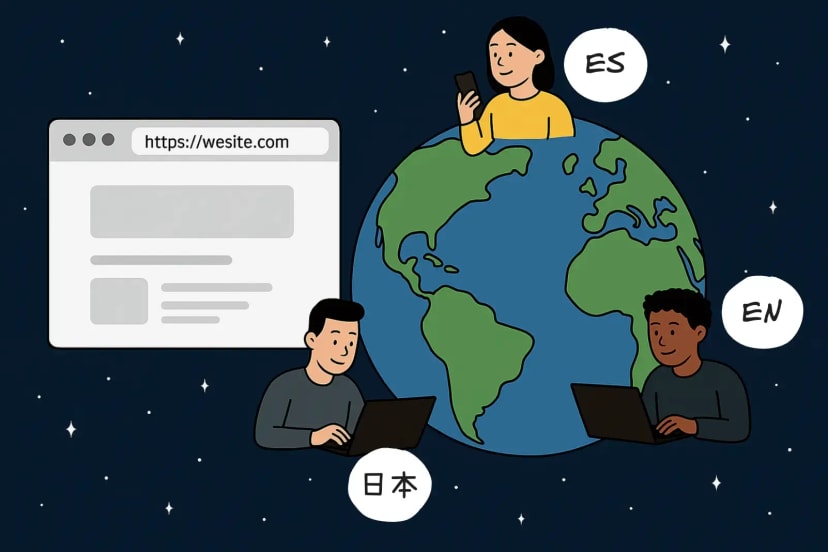
10. Localization and internationalization (i18n): more than translated strings
Most teams treat localization as a translation problem to solve at the end of a project. It’s actually a content-modeling and routing decision that’s far cheaper to make upfront:
- Locale-aware routing decided at the architecture stage. Subdirectories (/fr/), subdomains (fr.site.com), and ccTLDs each have different SEO and hosting implications; retrofitting this after launch usually means a full URL migration.
- hreflang implemented correctly and reciprocally. A missing or mismatched return-tag is one of the most common localization errors technical audits surface, and it actively confuses search engines about which version to serve which users.
- Content modeling that separates translatable fields from structural fields in the CMS, so a translator can’t accidentally break a component’s layout, and a design change doesn’t require re-translating unrelated content.
- UI that tolerates text expansion. German and Finnish strings routinely run 30–40% longer than their English equivalents; layouts built only against English copy break in production the moment translation lands.
- Right-to-left (RTL) support treated as a layout system, not a CSS patch, if any target market requires it. Logical CSS properties (
margin-inline-startrather thanmargin-left) make this dramatically less painful later.
Localization isn’t just about translated strings — it’s an architectural decision. For a deeper dive into how headless CMS platforms handle localization, see our Headless CMS Localization guide.
11. Hosting and infrastructure: Vercel, self‑hosted AWS, and the tradeoffs between them
“Where do we host it?” is treated as an afterthought far too often, even though it directly affects both cost and the performance work described in Section 1.
Managed platforms like Vercel and Netlify trade cost‑at‑scale for velocity. Zero‑config edge deployment, automatic preview environments per pull request, and built‑in ISR support make them the fastest path to shipping — until traffic or compute‑heavy workloads push the bill high enough that self‑hosting becomes materially cheaper.
Self‑hosting Next.js on AWS — via OpenNext, SST, or a custom container setup — trades velocity for control. You gain full control over caching layers, avoid vendor‑imposed function timeouts, and often reduce costs at high traffic volumes. The tradeoff is owning the infrastructure yourself.
For teams deploying on managed platforms, choosing the right Next.js runtime is also important. Cold starts, execution limits, regional coverage, database connectivity, and access to Node.js APIs all determine whether a serverless architecture fits a given workload.
Preview and staging environments require the same security discipline as production. Preview‑only robots.txt rules and password protection keep unfinished work out of search engines and off the public web — but they can also block audit tools like Ahrefs or Screaming Frog if not configured deliberately. These setups should be tested explicitly rather than assumed to “just work.”
Edge caching and CDN strategy should be planned alongside your rendering strategy, not afterward. An ISR page cached incorrectly at the edge can serve stale content indefinitely, or skip caching entirely — erasing the performance benefits ISR was chosen for.
12. API design and the data layer: the part users never see but always feel
Frontend performance and reliability are capped by how well the API and data layer underneath are designed:
- Match the API paradigm to the actual access pattern. REST is straightforward and cacheable for simple resource-based data; GraphQL earns its added complexity when a frontend genuinely needs to fetch deeply nested, variably-shaped data in a single round trip. Reaching for GraphQL by default, without that need, adds complexity without a corresponding benefit.
- Design content models around how components actually consume data, not around how content happens to be organized in a spreadsheet or legacy CMS. This is one of the most common sources of technical debt in headless CMS migrations: content modeled for editorial convenience but awkward for the frontend to query efficiently.
- Cache at the right layer. CDN-level caching for public, non-personalized data; a data-fetching layer cache (React Query, SWR) for client-side revalidation; database-level caching for expensive queries. Conflating these layers is a common source of the “why is this stale” and “why is this slow” bugs that are hardest to diagnose after the fact.
- Version your API deliberately if external consumers depend on it; breaking changes without a versioning strategy are one of the fastest ways to turn a frontend deploy into a cross-team incident.
13. Documentation and knowledge management: the practice that determines how fast a team can move in year two
Code quality practices (Section 6) keep code consistent; documentation practices keep a team’s decisions legible once the people who made them have moved on to other projects, or other companies:
- Architecture Decision Records (ADRs), which are short, dated documents capturing why a significant technical decision was made and not just what was decided, turn “why on earth did we do it this way” into a two-minute lookup instead of an afternoon of git-blame archaeology.
- README files that answer “how do I run this locally” completely, including environment variables, required services, and common setup failures. This is the highest-leverage documentation per word written, because every new engineer needs it on day one.
- Component documentation co-located with the component (Storybook stories, in-file JSDoc) rather than in a separate design-system wiki that inevitably drifts out of sync within a quarter.
- Onboarding documentation treated as a product, iterated on based on where new hires actually get stuck, rather than written once and never revisited.
14. Sustainability and carbon-efficient frontend engineering
This is a newer entrant on a “web development best practices” list, and it’s increasingly a genuine business consideration, both for its own sake and because energy-efficient sites tend to correlate strongly with the same practices that produce good Core Web Vitals:
- Smaller JavaScript bundles consume less client-side energy, which means the code-splitting and Server Components work described in Section 1 is a sustainability practice as much as a performance one. The two goals point in the same direction almost everywhere.
- Image and video optimization (modern formats, appropriate compression, lazy loading) reduces both data transfer and the energy cost of delivering it, at a scale that matters when multiplied across millions of page loads.
- Green hosting providers (running on renewable-powered data centers) are a straightforward lever for the infrastructure decision described in Section 11, with no engineering tradeoff attached.
- Static generation and aggressive caching reduce redundant server compute for content that doesn’t need to be regenerated on every request. Another place where the ISR-first architecture argument from Section 2 pays a second dividend.
15. Content editor experience: visual editing and governance, not just an API
Live preview isn’t optional anymore, it’s the baseline expectation. Sanity’s visual editing bridges the Studio and the frontend, letting editors see draft content render on the live site, click any element to jump to the field behind it, and watch content update as they type. Storyblok’s answer is its visual editor, where editors see a live preview of content as they’re editing it, closing the gap between what’s in the CMS and what appears on the page. Contentful offers similar live-preview functionality through its own tooling. Whichever platform, an editor should never have to guess what a raw content field will look like once it hits the page.
Draft, review, and publish workflows need to map onto CMS roles, not Slack messages. Who can publish directly, who can only submit a draft for review, and what happens if two editors touch the same page at once — these are content-governance questions a platform should answer.
Reusable content blocks (a hero banner, an author bio, a CTA module) stop editors from copy-pasting the same paragraph across forty pages — both an efficiency problem and a content-debt problem, since the moment a disclaimer changes, forty manual copies need forty manual edits instead of one.
This is also where a migration’s ROI actually shows up. A technically flawless replatform that content teams route around has failed on the metric that matters most to the client paying for it.
16. Privacy, consent, and compliance as an engineering requirement
Security (Section 5) covers keeping data safe from attackers. This is different: keeping data handling compliant with what regulators and users are owed, and it’s expanding fast enough in 2026 that it belongs on this list on its own.
The regulatory floor keeps rising. As of January 1, 2026, Indiana, Kentucky, and Rhode Island joined the states with comprehensive consumer privacy laws in effect, bringing the total to 19 — and state attorneys general are actively enforcing, not just warming up (some trackers already put the count at 20, with several more enacted but not yet active — worth reverifying the exact number before publishing, same caveat as the LCP threshold above). Reported US fines and penalties in 2025 alone reached an estimated $1.4 billion, so this is no longer a low-risk-to-ignore item even for mid-size sites.
Consent management needs to actually gate scripts, not just display a banner. A common implementation failure: the cookie banner renders, but analytics, ad pixels, and chat widgets fire underneath it regardless of what the visitor chose. A real CMP blocks non-essential scripts until consent is given.
Data subject requests (access, deletion, portability) need to be technically supported. It means clear separation between CMS content and personal user data, so a deletion request doesn’t turn into a manual archaeology exercise across five systems.
Server-side tagging and first-party analytics cut compliance risk and third-party script weight at the same time — a rare case where the privacy fix and the INP fix from Section 1 point in the same direction. Data residency (can you guarantee EU data stays in the EU) is also worth adding to the vendor-evaluation questions in Section 15 — CMS and hosting choice affects how easy that guarantee is to make.
Common mistakes that undo all of the above
Most of these show up after launch, when they’re expensive to fix.
- Calling image compression “performance work.” It helps LCP a little and does nothing for INP, which is the metric most sites are actually failing in 2026 (Section 1).
- Treating “we build in React” as the whole architecture decision. Teams that skip the rendering-strategy conversation default to CSR, then spend a year fighting the SEO and LCP problems that decision quietly created (Section 2).
- Shipping schema markup that fails Rich Results validation. Invalid structured data provides none of the intended benefit and can confuse crawlers about what the content actually is (Section 3).
- Running one accessibility audit before launch and calling it done. Automated tools catch roughly a third of real issues, and a single pre-launch pass doesn’t survive the next few sprints of component changes (Section 4).
- Auditing dependencies quarterly instead of scanning every pull request. A critical CVE sitting in a transitive dependency for a quarter is a very different risk than one caught in hours (Section 5).
- Writing a styleguide as a Notion doc. Nothing fails to merge because it violated a page nobody opened that week; only tooling wired into CI actually enforces a standard (Section 6).
- Celebrating a green Lighthouse score next to a failing real-world INP. Lab data and field data measure different things, and only field data is what Google actually scores you on (Section 7).
- Testing performance on a fast laptop with devtools throttling. The gap between that and a real mid-range Android phone on a real network is exactly where most INP surprises live (Section 8).
- Publishing content only as client-rendered JavaScript. AI crawlers are more conservative about executing JavaScript than Googlebot, so content that only exists after hydration is often invisible to the answer engines increasingly sending research traffic (Section 9).
- Choosing a partner on portfolio screenshots instead of field data. A screenshot shows what a site looked like at launch; it says nothing about whether it’s still fast, indexed, and ranking a year later (Section 15).
 Cartoon showing a hiring manager and Spider-Man holding a CV while speaking to a man at a computer, with text reading "It's n
Where AI-driven efficiency changes the economics: how FocusReactive applies this in practice
Everything above is a framework for evaluating any provider. Here’s why AI matters in web development: it’s the shift that’s changed the economics of this work more than almost anything else in the last two years, using AI as an engineering accelerant. Three examples of how that plays out in practice:
- Faster project kickoff. New builds start from a maintained composable-CMS starter kit (auth, content modeling patterns, component library foundations, CI/CD already wired). AI-assisted scaffolding is what adapts that starter kit to each client’s actual content model and integration scope, instead of a person doing that setup by hand. Together, that cuts kickoff-to-first-deploy time noticeably compared to a from-scratch build. The exact figure depends on the CMS and integration scope, but the direction is consistent across projects.
- Automated post-launch support. Custom AI agents handle a meaningful share of routine post-launch work: content QA passes, dependency and security-patch triage, monitoring alerts triaged before they reach a human. That’s what keeps ongoing support cost from scaling linearly with support volume, unlike a traditional retainer.
- Fast, working POC/MVP delivery. AI is what makes it practical to build a working proof-of-concept against a prospective client’s actual content model, in the time it used to take to prepare a slide deck describing what we’d build. It’s the same evidence-over-promises principle as Section 15’s standard of showing real Core Web Vitals outcomes instead of portfolio screenshots, applied earlier in the sales conversation instead of just at the end of a case study.
FAQs
What are the most important web development best practices in 2026?
Performance (specifically passing INP, not just LCP), a deliberate rendering-strategy choice (SSR/SSG/ISR rather than defaulting to client-side rendering), accessibility built in from the component level, and security hygiene at the dependency level are the four areas where most production codebases are currently weakest.
What are the biggest web development trends to watch in 2026?
Building for AI answer engines instead of just search engines, a much harder INP bar than most teams are used to, and rendering-strategy decisions moving earlier into the project timeline are the three shifts most directly reshaping how production sites get built and evaluated this year.
Why did Core Web Vitals get harder to pass in 2026?
Interaction to Next Paint (INP) replaced First Input Delay (FID) as Google’s responsiveness metric in March 2024. INP measures every interaction across a full page visit and reports the worst one, rather than only the first click, which is a stricter, more representative test that a large share of sites still fail. Any web performance optimization effort in 2026 has to start with INP, not just LCP, to hold up under that test.
Is React good for SEO?
React itself is rendering-strategy-agnostic; SEO outcomes depend on how you use it. A pure client-side-rendered React app has weak default SEO because content isn’t present in the initial HTML. A React application built with Next.js using server-side rendering, static generation, or incremental static regeneration can achieve excellent SEO and Core Web Vitals, because the content is present in the HTML Google receives on the first request.
What should I look for in ReactJS web development services?
A team that can articulate rendering-strategy tradeoffs specific to your content model, show measured Core Web Vitals and organic-traffic outcomes from comparable past projects, and name specific CMS or platform certifications relevant to your stack, rather than a team that describes their offering only in terms of “we build in React.”
How is a styleguide different from a design system?
A styleguide is typically a visual reference (colors, type, spacing) that documents intended design. A design system operationalizes that reference as versioned, tested components with enforced contracts: the difference between a document describing what code should look like and tooling that prevents code that doesn’t match from being merged.
Have a migration, a new build, a performance problem you’re trying to diagnose, or UI development services to bring a design system to life? FocusReactive is a headless CMS development company and Next.js development experts, a certified Sanity, Storyblok, Contentful, and Payload partner; we’re always ready to look at what you’re working with and offer the best web dev advice or assist on your way to a robust content system.


.jpg&w=828&q=90)
.jpg&w=64&q=90)

.png&w=828&q=90)