.png&w=1920&q=90)

A migration case study from a large consumer site: what the client asked for, what we checked at every step, and what they own now.
TL;DR
- A client we’ve worked with for years moved from Storyblok to Payload. Two reasons: Storyblok got expensive at this scale, and the client wanted to own the whole stack, from hosting to code. The move takes the platform subscription off the bill entirely.
- 16,500 location pages and 439 editorial documents moved over, and not one address changed. Every page was compared against the live site: title, meta tags, canonical address, structured data, sitemap entry.
- The automated migration was run using our in-house ai harness, a set of automated checks around the AI, with a person approving every change.
Why migrate from Storyblok to Payload?
The site belongs to a US-based parking service. Drivers use it to find, reserve, and pay for parking across the country. It’s a large consumer site: 16,500 pages describe parking in specific cities and neighborhoods, generated from a handful of templates, plus 439 editorial pages and articles.
We know this site from the inside. A few years ago, we moved it onto Storyblok and built the whole platform on top of it, including the schema patterns that kept later changes cheap.
Having built the Storyblok version ourselves was the biggest advantage at the start. We already knew where the oddities in the content lived: which fields editors use for things they were never meant for, which of the 101 page building blocks really collapse into about thirty, which rendering rules began as patches and are now treated as “the way it has always been.” If another team had taken this ai-powered data migration, the first weeks would have gone into finding all of this. We started with the list already written.
Two things were agreed with the client at the planning stage: reduce CMS costs and keep all the code and data on their side. Two conditions came with them, without which the move made no sense: lose no SEO, and do not let it drag on.
Requirement one: pay less
Storyblok worked well for this site for years. The problem was the price. A SaaS CMS subscription grows with a large site’s needs: more editors, more spaces, more traffic, and more API calls as its 16,500 pages are rebuilt whenever something changes.
And the price list itself moves. In April 2025, Storyblokreplaced its planswith new tiers, saying its existing pricing “was not fully aligned to value”. Today the largest self-serve plan stops at 1 TB of traffic and 4 million API requests a month. Above that, the price is negotiated.
By 2026, the platform fee had grown into a cost the client no longer wanted to carry. That was the problem we were asked to solve first.
The automated migration solves this in the simplest way possible: after the switch-over, there is no platform subscription. Payload is open source. The client runs several products, and the infrastructure for them has been in place for years: AWS, databases, a team that keeps it running. The site simply moved in next to them. What the client pays for now is what they were already paying for, their AWS account and their database, plus engineering time when they want something changed. The SaaS subscription line that grew every year goes away. Nothing on the site had to be cut for that.
Payload fits this requirement completely: an application that lives next to the site and belongs to whoever deployed it, with no platform subscription attached.
Requirement two: everything on the client’s side
The second requirement came with the first. As long as the site lived on a SaaS platform, the client paid for a subscription and for every platform change we made. They wanted something else, and we share the wish: a stack they can take and develop without us.
After the automated migration, everything sits on the client’s side:
- Infrastructure in their AWS.
- Open-source Payload on their PostgreSQL.
- The migration code and the site code in their repository.
- The state of the project in the same repository: a task board generated from the task files, a decision log with more than 300 entries, each recording which options were rejected and why, and a short list of rules that must not be broken, with the reason next to each one.
A new engineer, whether in-house or from another agency, can open the repository and answer within an hour “where are we, what is next, and why.”
No chat with us is required, and no board in a tracker. The harness itself lives in that repository for as long as the automated cms migration runs: plain files and scripts the client’s own team can run without us. After the switch-over, it has done its job and is no longer needed.
Condition one: lose no SEO. How 16,500 URLs survived the move
Every one of those pages appears somewhere in search results, and together they account for a noticeable share of organic traffic. When a site undergoes an automated migration between CMSs, page addresses change quietly. The new platform adds a segment to the path, slugs get rewritten under new rules, a redirect from the old map never makes it into the new one.
Google’s own guidance is that permanent redirects pass ranking signals, and that rankings can still fluctuate during a move. The redirect itself is not the problem. The problem is the map: one wrong address in sixteen thousand, and you find out about it when traffic drops.
So we did not build a new redirect map. A published page keeps its address. That rule is written into the migration code, and a check for it runs on every pass. The 35 redirects that existed before us were carried over as they were, and all 35 were verified.
Second, we compared finished pages, not fields in a database. Readers and search crawlers receive HTML, so that is what we compared against the live site:
- Every page that does not redirect (the 35 pre-existing redirects were checked separately): the part search engines read first, identical to the live site: title, description, canonical address, indexing rules, social preview tags, structured data.
- Sitemap: every dated entry across the sitemap files compared against the live site, yielding zero differences.
- Rendering: beyond the head, the full rendered page on 337 pages chosen across location types and states; all 337 matched.
- Editorial documents: 439 out of 439, with zero lost content.
All of this is run by commands, because nobody reads sixteen thousand pages by eye, and a missing line of structured data on a hundred of them looks like nothing. A command notices, and you can run it again any day. Our SEO migration checklist includes the rest of what we check before any launch.
Condition two: a predictable timeline. How “done” was defined before the first line of code
In our experience, most replatforming projects go over budget, almost always because of the tail: imports run “one more time,” fixes by hand, and a last-week argument about what counts as finished. The tail appears wherever “done” was never defined at the start.
We defined it before the first line of code. The project was split into 52 tasks, worked one at a time, and every task carried a command that proves it is complete. A task without such a command could not be started. How a task goes from that command to “closed” is the subject of the next section.
The order of tasks is about deadlines too. The first tasks to complete addressed the risks that could derail the project:
- Multi-language support built into every content type from day one, because bolting it on later is painful.
- A database limit on field-name length that fails silently and would have truncated data without an error.
- The converter for formatted text between the two systems, tested on real pages before anyone trusted it.
Only after that did the bulk of the work begin.
To be precise about the timeline: the first working version of the transfer was ready in a day. Everything after that was proving it did not lose content. The result: 8 weeks of active work, one engineer (the author) and the ai harness, 52 tasks closed, none reopened. Eight weeks is not fast, but it was predictable from the second week, and for a deadline that matters more. For what an automated migration like this usually costs, see our enterprise CMS migration cost breakdown.
What is an AI harness, and how did it run the automated migration?
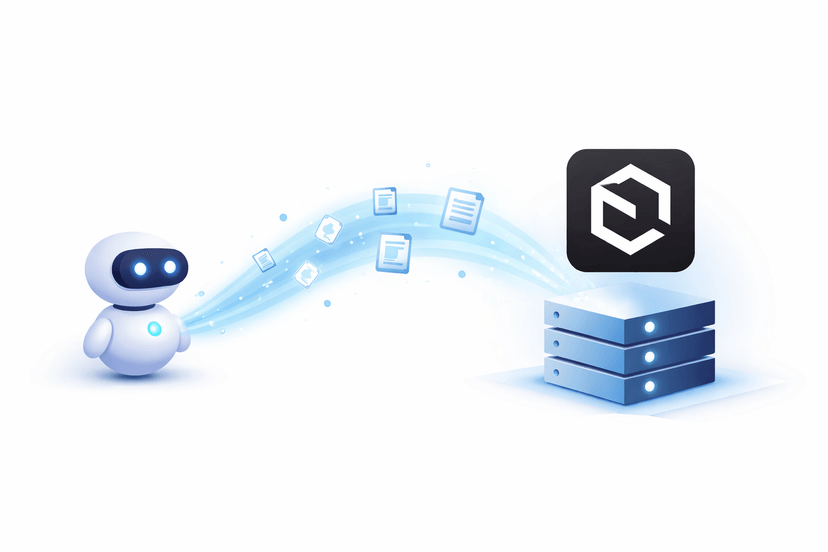
An ai harness is the set of files and checks that decides how AI is allowed to work on an automated migration project. In this ai cms migration, the division of labor was fixed on day one and never moved: I decide what has to be true, the AI builds it, and a check settles whether it is. Most of the harness, by volume, is plain scripts, task files, and a test runner.
Every one of the 52 tasks followed the same loop, which began with a conversation, not with code. The AI reads the task and questions me until we agree on two things: what the result looks like, and which command proves it. This is where the knowledge the AI cannot have enters the project: which fields editors use for things they were never meant for, which quirks are legacy and which are features, what the client would notice first.
Whatever that conversation uncovers goes back into the task file before any code is written, and every decision goes into a decision log together with the alternatives we rejected and why. By the end, that log held more than 300 entries.
Then the AI writes the code and runs the command. A failed check blocks all further work until it passes. Then I review the change: I read it line by line and look at the result it produces, and only I accept it into the project. The command’s output is attached to the task, and the task is closed based on that output, not on a description of what was done.
“Done” therefore means three things at once:
- The change has been read and accepted by the engineer.
- The command has been run and its output is attached to the task.
- Nothing is left half-finished in the repository.
Two parts of the setup are worth spelling out:
- One command runs everything: the code checks, the full test suites, and the comparisons against the live site.
- The checks test themselves. A check can break like any other code, and a broken check lets errors through while still showing green. To catch that, the same command that runs the checks first runs each of them against a prepared trap page with a known error, say a page with its title swapped. The check has to find that error. If it does not, the check itself is broken, and the run stops before anyone trusts its green result.
That loop is what the eight weeks were made of: questions, decisions, and reading changes, 52 times over. Almost none of the transfer code in those weeks was typed by me. My work was deciding what it had to do and checking whether it did.
One case where this worked in our favor: the old site had a quirk where a paragraph made entirely of bold text rendered as a heading. I treated it as legacy we could clean up and decided not to carry the rule over. That was my call. The editorial import ran clean, the pages rendered on staging, and every check we had that day was green.
The comparison against the live site disagreed. It came back with 423 differences across the editorial documents, and 161 of them came from that one rule.
At that scale, this was a content change nobody had asked for, so we restored the rule and logged the reversal together with the numbers that caused it. A person reviewing those 439 documents manually would not have spotted it, because each page on its own looked fine.
What you get from a migration run on a harness
This level of systematic verification is the new standard for quality check migrations. It leaves you with five things, all of them in the repository:
- A task board where every task has its own check, and the risks come first.
- A human review of every change before it reaches the main branch.
- Page addresses that did not change and cannot change unnoticed.
- A switch-over in which the old CMS remains available for weeks after launch, ensuring a safe transition until the client officially retires Storyblok.
- A repository from which a new person understands the state of the project within an hour.
.png&w=1080&q=90) ai migration harness
ai migration harness
Four questions to ask before any CMS migration
Whoever runs your automated migration, these four questions separate a controlled project from a tail of fixes. They are the questions we answer in the first week.
- Which URLs will change, and who is checking every one of them? The right answer is “none”, with a check that runs on every pass.
- What does “done” mean for a single task, and where is the proof kept? A command and its output, attached to the task.
- What gets built first: the risky parts or the easy parts? Localization, data limits, and rich-text conversion first, volume later.
- Can we keep editing in the old CMS until the switch-over? Yes, if the import only moves what has changed.
If you are comparing vendors, our roundup of Storyblok migration companies is a fair place to start, and the headless CMS migration guide covers the full process.
Where the project stands
The ai data migration is complete and proven. One step remains: the switch-over. The site already serves pages from the new CMS in the staging environment, and they match the live ones.
The date of the switch-over is the client’s call: their decision, their calendar. Until that day, the old CMS stays available, editors keep working in it, and a repeat run of the transfer picks up their edits, because it only moves what has changed. The plan for launch day follows the same discipline: the switch-over goes live, and the old CMS stays available for the weeks after.
When the switch-over happens, we will add the traffic numbers here.
Planning an AI CMS migration from Storyblok to Payload?
If you are leaving Storyblok, Prismic, Contentful, WordPress, or another CMS and want an ai data migration to come with proof at every step, complete the contact form and select “Migration” as the subject. Tell us what you are moving from and where to. You get a reply within a day, a short call, and a scoped proposal in two to three days.
This is how FocusReactive approaches every CMS migration: with deep headless CMS expertise, automated workflows, and checks at every stage. For a move from Storyblok to Payload, that means knowing what needs to move, verifying that it arrived intact, and making sure the new site works as expected, without losing content or search visibility.

.jpg&w=64&q=90)